SAP qRFC SYSFAIL: Investigate the first failing queue unit
A manufacturer's queued stock-related processing stops at a failed predecessor, leaving later work waiting.

Source review:
START HERE · NO PRIOR TOPIC KNOWLEDGE NEEDED
What it is. Why it matters.
Queued RFC, or qRFC, processes remote calls in a defined order. SYSFAIL indicates a processing failure, and later work may depend on resolving the failing queue entry.
Completely new to SAP?
Manufacturers use SAP to connect work such as buying components, recording inventory, planning production, shipping equipment and accounting for costs. SAP S/4HANA is an enterprise resource planning system: it connects these activities through shared business data.
SAP Business Technology Platform, or BTP, provides cloud services for applications, data and integration. A connection needs a route, an identity and permission to perform the intended task.
A transaction code, or t-code, is a shortcut to a task in classic SAP GUI. Fiori apps provide another way to work. Names and screens depend on the product and release; you do not need a live system to learn the concepts in this guide.

Scope and source-review notes
Scope and evidence
Source review by FAST SAP SOLUTIONS® editorial. This badge describes our editorial review; it does not represent SAP certification or independent endorsement.
Classic ABAP qRFC with SMQ1/SMQ2. The referenced queue-status documentation includes legacy releases; confirm your landscape’s supported recovery process.
Documentation review on 14 November 2026 using official SAP sources and indexed official excerpts where full Help text was unavailable. Scope and service or release differences are explained in the lesson. All datasets, requests and checks are illustrative; no customer SAP runtime execution or measured results are claimed.
A MANUFACTURING EXAMPLE
Protect the order of plant stock updates
A failed predecessor can hold work
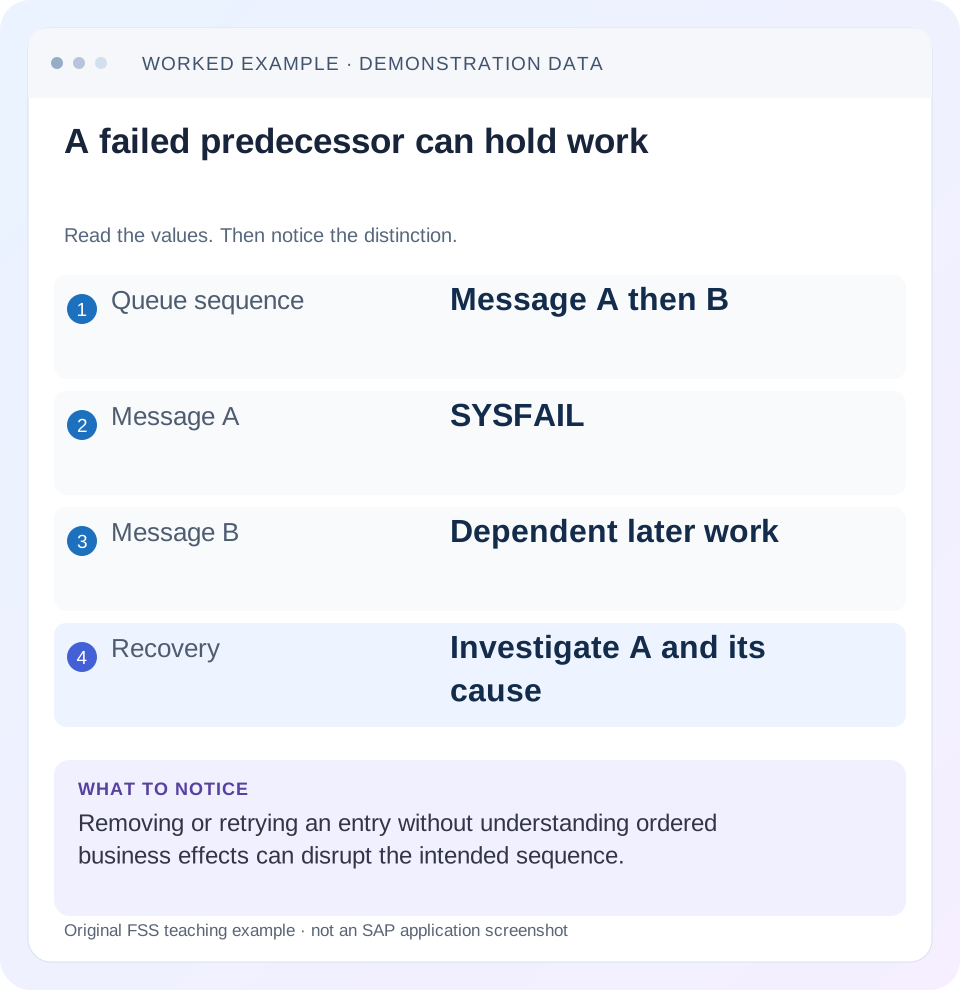
Read the example values
- Queue sequence
- Message A then B
- Message A
- SYSFAIL
- Message B
- Dependent later work
- Recovery
- Investigate A and its cause
Words you’ll meet in this guide
- Backend
- The service or system doing the work behind an interface.
- Destination
- Named connection settings for another service.
- Credential
- Access information used to prove an identity.
- Subaccount
- A BTP scope for applications, services and access settings.
- ABAP
- SAP’s programming language for business applications.
- API
- A defined interface through which programs exchange data or request actions.
- RFC
- Remote Function Call: a way for one system to call functions in another.
- LUW
- Logical unit of work: a group of related changes considered together by the relevant transaction model.
Preview the practical steps
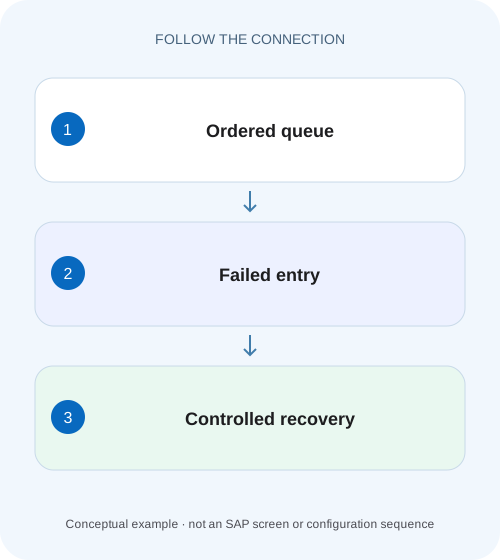
SEE THE CONNECTION
See it in a simple example.
A small example to make the idea concrete.
Protect the order of plant stock updates
A manufacturer's queued stock-related processing stops at a failed predecessor, leaving later work waiting.
Investigate the first failed LUW and preserve its ordering role
In classic qRFC, SYSFAIL indicates a serious error while the target system executes a logical unit of work.
Understand the LUW, queue and business instruction separately
A logical unit of work groups the technical work being delivered and processed.
Worked case: a failed predecessor protects stock-update order
Use a fictional application queue STOCK_A that carries ordered quantity changes for one illustrative stock object.
Protect the order of plant stock updates
A manufacturer's queued stock-related processing stops at a failed predecessor, leaving later work waiting.
Inspect the application error and queue order before deleting or bypassing the failing entry and risking out-of-sequence processing.
| Reader | Business question | Evidence to carry forward |
|---|---|---|
| SAP developers and application teams supporting manufacturers | Protect the order of plant stock updates | Inspect the application error and queue order before deleting or bypassing the failing entry and risking out-of-sequence processing. |
01 Investigate the first failed LUW and preserve its ordering role
In classic qRFC, SYSFAIL indicates a serious error while the target system executes a logical unit of work. Start with the first relevant failing LUW, its error text and target-side evidence. Later queue entries may be waiting because their required predecessor has not completed. Resetting or deleting a queue entry does not correct the program, data or prerequisite that caused the failure. [1]
This tutorial is for Basis and application support teams using SMQ1 for outbound queues and SMQ2 for inbound queues in classic ABAP landscapes. You need authorized display access, source/target system and client identities, queue/LUW identifiers and the receiving application’s recovery procedure. Linked status references include legacy NetWeaver documentation; verify installed-release behavior before any operational action. [1]
02 Understand the LUW, queue and business instruction separately
A logical unit of work groups the technical work being delivered and processed. A queue introduces ordering and dependency behavior around those units. The business instruction is the application meaning carried by a unit, such as an ordered update to a business object. One business incident can therefore produce several visible waiting entries without each entry having an independent defect.
Capture system, client, queue direction, queue name, destination, first failing LUW identity and time. The same name in an inbound and outbound monitor is not sufficient to prove it is the same observation. Correlate sender and receiver evidence using the technical identifiers and business reference. Keep payload inspection within authorized support access.
03 Worked case: a failed predecessor protects stock-update order
Use a fictional application queue STOCK_A that carries ordered quantity changes for one illustrative stock object. The receiver starts at quantity 5. LUW-A adds 3, LUW-B subtracts 2 and LUW-C adds 4. The intended final quantity is 5 + 3 − 2 + 4 = 10. LUW-A fails because its target storage-location mapping is invalid, and later dependent work remains unresolved.
The point is the dependency, not a claim about a standard SAP stock API. If someone deletes LUW-A and allows the remaining changes without business correction, the arithmetic becomes 5 − 2 + 4 = 7. A shorter queue can hide a missing business effect. If the application requires version checks, later units might fail instead. The receiving application contract decides which consequence occurs.
| Unit | Instruction | Expected running quantity if successful |
|---|---|---|
| Initial | Existing receiver state | 5 |
| LUW-A | +3; currently SYSFAIL | 8 |
| LUW-B | −2 after A | 6 |
| LUW-C | +4 after B | 10 |
04 Read the exact status and error before selecting a repair
Open the relevant queue monitor and inspect the first failing unit. The documented SYSFAIL description directs support to the error text and corresponding target-system short dump in ST22 where applicable. Match target system, client, time and program context. An unrelated dump from the same day is not proof of cause. [1]
Keep SYSFAIL distinct from a communication error, an intentional stop or a dependency wait. Those statuses express different conditions. If the status changes while you investigate, record both observations and timestamps. Do not apply a reset procedure remembered for another state. A current executing unit requires different care from a unit whose target execution was interrupted.
05 Correlate target application evidence with the failing unit
For the STOCK_A fixture, inspect the invalid target storage-location value and the application error. Compare it with the mapping/configuration expected for the same business object. Establish whether the source sent a wrong value, the mapping changed, or target prerequisites are missing. The queue manager can identify the failed execution but cannot decide which business value is correct.
If a short dump exists, compare the exception and source location with the unit’s processing time and user context. A program correction may require a transport and regression fixture. A data correction may require an authorized business maintenance process. Do not change queue payload tables directly to make an error disappear; use the application’s supported correction/recovery mechanism.
For the invalid storage-location fixture, compare the source value, mapped target value and allowed receiver value as three fields. If the source is correct but the target value changed after a mapping deployment, the correction belongs in that transformation. If all values agree but the receiver prerequisite is absent, the business maintenance path is different. Keeping those observations separate makes the application handoff specific enough to act on without giving support permission to invent a replacement storage location.
06 Map dependencies before touching later units
Inspect the relevant queue and dependency evidence to determine what the first failure blocks. SAP’s blocked-queue documentation explains that dependent work can affect other queues, so a backlog may be wider than one displayed queue. Ask which business object or serialization rule the application protects. [2]
Create a small dependency ledger: failing unit, business object, dependent queues/units and intended next operation. In the fictional case, B and C depend on the missing +3 instruction. Clearing B independently would not repair A. If another queue is waiting on the same LUW, treating it as a second unrelated incident duplicates work and can lead to conflicting recovery actions.
07 Distinguish infrastructure recovery from application correction
If the error text and target evidence show an application exception, correct that cause through the application’s supported process before reactivation. If the evidence shows a communication problem, investigate the destination and network boundary with Basis. A successful connection test does not resolve an invalid storage-location value, and a valid business key does not repair an unreachable target.
Use a named recovery owner to coordinate the two teams. Record the original error, proposed correction, expected next state and receiver reconciliation method. The goal is not to transfer the whole problem to an administrator, but to give the responsible person a specific failed instruction and a testable cause. That makes the recovery concrete rather than a request to “clear queues.”
08 Reactivate through the supported procedure after the cause is corrected
Once the receiving application owner confirms the correction and current processing state, use the release- and application-specific queue recovery procedure. This article deliberately does not prescribe a universal reset button sequence because queue state, application locks and dependency behavior matter. Avoid repeated activation while the cause remains unchanged.
Before replay, establish whether any effect already occurred outside the expected transaction scope. The classic qRFC mechanism has transactional controls, but an application can interact with external systems or nontransactional side effects. If evidence is uncertain, reconcile the business object first. Never use a new independent business request as a substitute for understanding the original unit’s state.
Keep the original LUW identity in the record. If the supported application recovery replaces work, document the relationship to the original instruction. That relationship is necessary to explain why +3 is accounted for exactly once in the worked quantity ledger.
09 Troubleshooting decisions for SYSFAIL and a growing backlog
Classify observations by the first failed boundary and the protected dependency. Queue size measures operational backlog; it does not tell you whether the underlying error is application data, code, communication or deliberate administration.
| Observation | Question | Next evidence |
|---|---|---|
| First LUW SYSFAIL | What failed during target execution? | Exact error and correlated target ST22/application evidence |
| Later queue WAITING | Which predecessor has priority or remains unresolved? | Dependency and first failing LUW |
| Queue STOP | Who intentionally stopped it and why? | Application/change context and supported release procedure |
| Communication error | Which connection boundary failed? | Destination, error text and network evidence |
| Retry repeats same application error | Was the cause actually changed? | Mapping/data/program correction evidence |
| Queue count falls, quantity wrong | Was work deleted or duplicated? | LUW disposition and receiver business ledger |
10 Verify the failing unit, followers and business state
For the positive verification, correct the fictional mapping and resume through the supported process. Confirm A, B and C reach their intended dispositions and the receiver quantity is 10 with the correct stock-object identity. A quantity of 10 on another object is not success. Compare component updates or document references where the real application exposes them.
For a negative development fixture, keep the invalid mapping and confirm the error remains attributable to A rather than silently skipping it. For a boundary fixture, fail B instead of A and verify that the recovery accounts for A’s completed +3 before deciding replay scope. This catches procedures that always resend the entire business sequence without checking what already happened.
Also verify dependent queues and the original backlog pattern. A single queue emptying does not prove that a shared prerequisite was fixed everywhere. Record the observation window and remaining unresolved units. Avoid promising long-term stability from one successful recovery.
11 Learn from the failure without removing useful serialization
If one object blocks too much unrelated work, review queue design with the application owner. Overly broad serialization can increase the impact of one failure, but splitting queue keys changes ordering and concurrency. Measure business dependencies and supported design options rather than removing serialization because a backlog is inconvenient.
Use the incident fixture as a regression case for the mapping or program correction. It should include the invalid value, correct replacement, expected +3 effect and the following −2/+4 sequence. A regression that checks only “no SYSFAIL” can miss a missing or duplicated business update.
12 Questions that make closure reviewable
Can I delete the failing unit? Only an explicitly supported business disposition can justify removing work; deletion is not diagnosis. Account for the original instruction and dependent sequence first.
Does SYSFAIL always mean a short dump exists? The documentation points to target short-dump evidence, but correlate the actual error and application context. Do not manufacture a dump explanation when none matches.
What belongs in the handoff? System/client/direction, queue and LUW IDs, causal target error, correction, recovery method, dependent-unit outcomes and business reconciliation. The related tRFC and idempotency lessons explain why technical retry and business repetition need separate reasoning.
Related services and next steps
Primary sources
Found this useful?
Share this guide with your network, or leave a like.
Your like is saved in this browser.