SAP SM58 tRFC failure: Why a successful manual retry is not the whole answer
A manufacturer's transactional RFC processing fails from one application server even though a different connection test succeeds.

Source review:
START HERE · NO PRIOR TOPIC KNOWLEDGE NEEDED
What it is. Why it matters.
Transactional RFC, or tRFC, manages relevant remote function deliveries. SM58 displays pending or failed units, which need to be matched to their destination and business operation.
Completely new to SAP?
Manufacturers use SAP to connect work such as buying components, recording inventory, planning production, shipping equipment and accounting for costs. SAP S/4HANA is an enterprise resource planning system: it connects these activities through shared business data.
SAP Business Technology Platform, or BTP, provides cloud services for applications, data and integration. A connection needs a route, an identity and permission to perform the intended task.
A transaction code, or t-code, is a shortcut to a task in classic SAP GUI. Fiori apps provide another way to work. Names and screens depend on the product and release; you do not need a live system to learn the concepts in this guide.

Scope and source-review notes
Scope and evidence
Source review by FAST SAP SOLUTIONS® editorial. This badge describes our editorial review; it does not represent SAP certification or independent endorsement.
Classic ABAP transactional RFC monitoring. The intermittent application-server example is a specific SAP support scenario, not a diagnosis of every SM58 error.
Documentation review on 14 November 2026 using official SAP sources and indexed official excerpts where full Help text was unavailable. Scope and service or release differences are explained in the lesson. All datasets, requests and checks are illustrative; no customer SAP runtime execution or measured results are claimed.
A MANUFACTURING EXAMPLE
Trace a factory integration from the actual sender
Track the remote unit
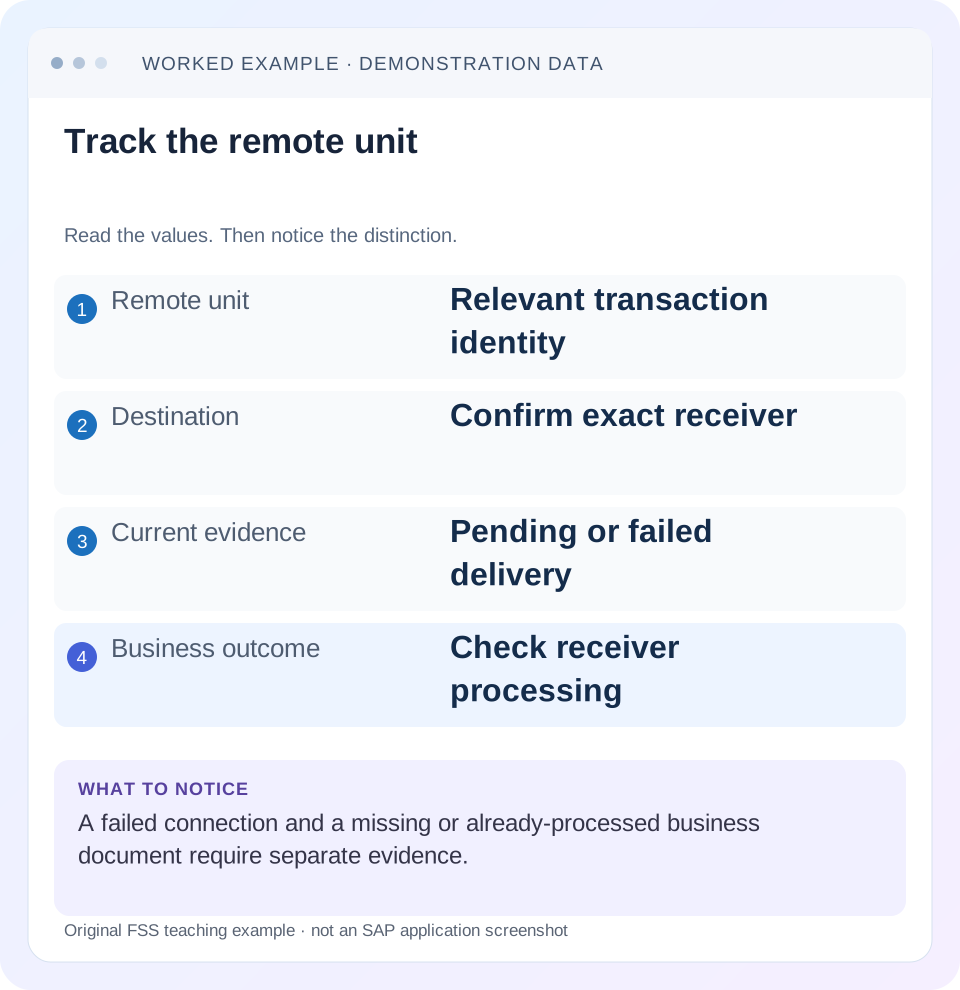
Read the example values
- Remote unit
- Relevant transaction identity
- Destination
- Confirm exact receiver
- Current evidence
- Pending or failed delivery
- Business outcome
- Check receiver processing
Words you’ll meet in this guide
- Backend
- The service or system doing the work behind an interface.
- Destination
- Named connection settings for another service.
- Credential
- Access information used to prove an identity.
- Subaccount
- A BTP scope for applications, services and access settings.
- ABAP
- SAP’s programming language for business applications.
- IDoc
- A structured SAP document format used to exchange business data.
- RFC
- Remote Function Call: a way for one system to call functions in another.
- LUW
- Logical unit of work: a group of related changes considered together by the relevant transaction model.
Preview the practical steps
SEE THE CONNECTION
See it in a simple example.
A small example to make the idea concrete.
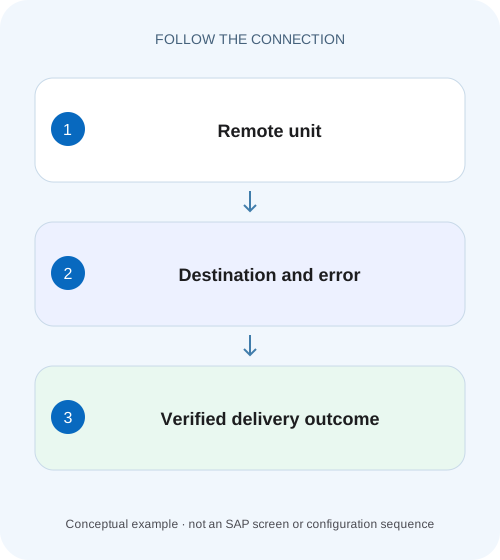
Trace a factory integration from the actual sender
A manufacturer's transactional RFC processing fails from one application server even though a different connection test succeeds.
A successful manual retry proves one execution path, not a permanent repair
SM58 displays classic transactional RFC units that were unsuccessful or scheduled for later handling.
Understand the transaction boundary and identity
Classic tRFC groups relevant calls to the same destination within the sender’s commit interval into a logical unit of work.
Worked case: one sender application server cannot reach the receiver
Imagine destination ERP_TARGET used by a scheduler group containing application servers APP_A and APP_B.
Trace a factory integration from the actual sender
A manufacturer's transactional RFC processing fails from one application server even though a different connection test succeeds.
Compare the actual sender, destination and error evidence before repeating work or changing the receiver's business data.
| Reader | Business question | Evidence to carry forward |
|---|---|---|
| SAP developers and application teams supporting manufacturers | Trace a factory integration from the actual sender | Compare the actual sender, destination and error evidence before repeating work or changing the receiver's business data. |
01 A successful manual retry proves one execution path, not a permanent repair
SM58 displays classic transactional RFC units that were unsuccessful or scheduled for later handling. Start with the LUW identity, destination, error and business reference. If a manual execution succeeds after an intermittent connection failure, investigate why the earlier execution path failed. SAP documents a specific case in which one application server in the scheduler’s group cannot use the destination while another can. [1] [2]
This tutorial is for Basis and application support teams using classic ABAP tRFC. You need authorized SM58 display, destination and scheduler configuration, relevant server context and a receiver reconciliation method. It is not a bgRFC operating guide. The application-server case is a documented hypothesis to test when evidence fits, not a diagnosis of every SM58 entry.
02 Understand the transaction boundary and identity
Classic tRFC groups relevant calls to the same destination within the sender’s commit interval into a logical unit of work. SAP documents a unique transaction ID and target-side transactional handling for that unit. The identity is part of how the mechanism tracks execution and confirmation. Creating a new business submission is different from allowing the original technical unit to complete. [2]
Keep the technical TID and the external business reference together. The TID helps correlate delivery and execution, while the business reference identifies the intended document or update. A receiver document existing does not by itself tell you which unrelated integration attempt created it. Conversely, a missing SM58 row after processing is useful technical evidence but does not describe every business-level validation result.
03 Worked case: one sender application server cannot reach the receiver
Imagine destination ERP_TARGET used by a scheduler group containing application servers APP_A and APP_B. LUW T-101 carries an illustrative document instruction for external reference EXT-5001. The destination works from APP_A but fails from APP_B because of an investigated network or host-resolution difference. The first attempt is dispatched through APP_B and SM58 records an RFC connection-opening error.
An operator manually executes the existing unit and that execution uses APP_A, so it succeeds. The business document may now be correct, yet the next unit T-102 can fail again if it uses APP_B. Closing the incident after one successful manual retry leaves the recurring infrastructure defect unresolved.
| Execution context | Destination ERP_TARGET | Interpretation |
|---|---|---|
| APP_A | Supported test succeeds | One working path |
| APP_B | Same destination test fails | Server-specific boundary to investigate |
| Manual retry through APP_A | T-101 completes | Original business work recovered |
| Later scheduled work through APP_B | Can fail again | Root connection condition remains |
04 Capture the original SM58 unit before replay changes the view
Record source system/client, destination, LUW/TID, creation time, function context and complete sanitized error. Inspect the message details rather than reducing it to “RFC failed.” A logon error, communication failure, application exception and recorded/scheduled state require different investigations. Include whether the issue is intermittent and which units share its pattern.
SAP’s transactional-integrity documentation explains that SM58 lists unsuccessful or scheduled units and exposes error text from the target where applicable. Preserve the exact provenance: a connection-opening failure can occur before the target application executes, while a target application error can follow a successful connection. The next evidence should fit that phase. [2]
05 Reconcile the intended receiver outcome
Before any alternative resubmission, query the receiver using EXT-5001 and the correct organizational context. If the document exists, compare its content and state with the requested operation. If it does not exist, distinguish a confirmed pre-execution failure from an uncertain delivery outcome. Avoid creating a new invoice or order through another interface just because the original call appears unresolved.
In the fictional case, T-101 initially fails opening the connection, so evidence can support that no application call reached the receiver on that attempt. After the successful manual recovery, verify exactly one intended document for EXT-5001. Keep that recovery result separate from the server-connectivity root cause. One incident can have both a completed business recovery and an open infrastructure action.
06 Test the documented application-server hypothesis
If the observed error is the intermittent connection-opening pattern, inspect the AS group used by the scheduler in SMQS and its application-server membership through the relevant supported administration, including RZ12 in SAP’s support example. Compare destination behavior from each eligible server with Basis. A successful test from the operator’s current server does not cover the group. [1]
Keep the comparison controlled: same destination, same intended receiver and comparable test operation, with server identity and timestamp. Investigate differences such as network route, name resolution or required local configuration only when supported by evidence. Do not change a production group’s membership as a speculative diagnostic. Removing a server can affect scheduling capacity and other consumers.
07 Separate destination identity from the business recipient
Confirm that ERP_TARGET is the destination the failing unit actually uses. A manually tested destination with a similar name is not evidence about the configured runtime recipient. In ALE/IDoc scenarios, logical system, port and partner-profile configuration introduce additional recipient-to-connection relationships. Trace those if the actual destination differs from expectations.
Also compare target client and effective technical identity. A reachable ABAP server can reject logon or a function authorization. That failure requires the intended user’s supported role configuration, not a firewall change. Keep credentials out of the ticket; record non-secret identity and error metadata. The related logical-system/destination lesson explains the naming distinction without treating it as a connectivity test.
08 Choose a correction that addresses the failed boundary
For the documented server-group case, SAP describes making the destination work from all eligible servers or changing the eligible group as appropriate. Which option is right depends on the actual architecture and ownership. An approved temporary exclusion can reduce impact while a network issue is repaired, but it should have a documented scope and follow-up rather than becoming an unexplained permanent workaround. [1]
For an application error, correct the data, prerequisite or code using the receiving application’s supported process. For a logon or authorization error, correct the intended technical access through its owner. Do not make unrelated destination, group and business-data changes together. The original error and a focused verification should explain why the selected correction is relevant.
09 Recover the existing unit through the supported lifecycle
Once the cause and current state are understood, coordinate recovery with any scheduled automatic handling. Use the supported operation for the actual LUW state and application. This tutorial does not prescribe a universal SM58 execution sequence because active processing, rollback requirements and application semantics matter. Avoid simultaneous manual and alternative business resubmissions.
The tRFC mechanism’s transaction identity protects its own delivery model, but manually recreating the business instruction with a new identity can escape that protection. External side effects or application-specific commits also deserve review. Keep the original technical unit until its disposition is understood and document any supported replacement relationship.
If a unit is currently executing, inspect the current processing evidence before forcing another action. A stale screen can look unchanged while a target process still works. Refresh and correlate rather than assuming an old timestamp means the call is safe to duplicate.
10 Troubleshooting table for pending or failed tRFC work
Classify the first meaningful error and then choose evidence. Status labels alone rarely reveal whether the failure is a receiver operation, a connection path or a scheduler-resource condition.
| Observation | Likely question | Next evidence |
|---|---|---|
| Manual retry works, failures recur | Are eligible sender servers equivalent? | AS group membership and per-server destination tests |
| Name/password or locked-user error | Is intended technical logon valid? | Destination logon context and target user state |
| Target application error | What business/code prerequisite failed? | Target message, application log or correlated dump |
| Transaction recorded | Is work scheduled or resource constrained? | Applicable scheduler/job and application context |
| Transaction executing | Is target processing still active? | Current work and confirmation evidence |
| Row disappears, business object missing | What did target processing actually do? | Business result/status and receiving application contract |
11 Verify recovery and the recurring failure pattern independently
For T-101, verify the intended receiver document for EXT-5001 and the original unit’s final disposition. Then verify the infrastructure correction across APP_A and APP_B using supported harmless tests. Finally observe new scheduled work over a defined representative window. That sequence proves both the recovered instruction and the condition that previously caused recurrence.
For a negative development test, reproduce a clearly identified failing server path with no sensitive business write and verify the diagnostic names the right context. For a boundary case, include an eligible server added after the original correction. A group can change over time, so a test inventory covering yesterday’s members may miss a new path.
Also test a business rejection separately from a connection failure. The receiver can be reachable while an invoice is invalid. That case should route to the application owner with the business reference, not trigger the server-group workaround. Acceptance should assert document identity and content as well as a clean technical monitor.
In the server matrix, retain observation times and the active group membership. If APP_B is repaired but APP_C joins the group later, the incident fixture should be reusable to verify the new eligible path. A successful test inventory is valid for the servers and configuration actually inspected, not every future topology.
12 Questions that make the incident closure honest
Does an empty SM58 list mean every interface is healthy? It describes the selected monitor scope and current entries. Confirm filters, application outcome and the original failure pattern. Other integration mechanisms have other monitors.
Is one successful SM59 test sufficient? It can prove the tested destination path in that context. The documented intermittent case requires comparison across the eligible application servers, not repetition from only the working one.
What should closure record? Include the original TID and business reference, failed boundary, per-server evidence where relevant, correction, recovery disposition, receiver outcome and observation window. A clear report can say “EXT-5001 recovered; APP_B connectivity investigation remains open” rather than treating partial recovery as complete resolution.
Related services and next steps
Primary sources
Found this useful?
Share this guide with your network, or leave a like.
Your like is saved in this browser.