Customizing versus Workbench requests: Identify what your SAP change transports
A manufacturer releases a custom report together with organization-specific mapping settings.

Source review:
START HERE · NO PRIOR TOPIC KNOWLEDGE NEEDED
What it is. Why it matters.
A transport moves supported SAP changes between systems. Workbench and Customizing requests represent different relevant change categories; the actual objects and target settings determine their scope.
Completely new to SAP?
Manufacturers use SAP to connect work such as buying components, recording inventory, planning production, shipping equipment and accounting for costs. SAP S/4HANA is an enterprise resource planning system: it connects these activities through shared business data.
SAP Basis work keeps relevant SAP systems running. Logs, background jobs and connection tools help explain what happened to a task at a particular time.
A transaction code, or t-code, is a shortcut to a task in classic SAP GUI. Fiori apps provide another way to work. Names and screens depend on the product and release; you do not need a live system to learn the concepts in this guide.

Scope and source-review notes
Scope and evidence
Source review by FAST SAP SOLUTIONS® editorial. This badge describes our editorial review; it does not represent SAP certification or independent endorsement.
Classic ABAP Change and Transport System for developers, functional consultants and release owners. Public-cloud software/configuration collections and other deployment frameworks use different lifecycle rules. Object-specific SAP documentation takes precedence over broad category shortcuts.
Documentation review on 14 November 2026 used the available official SAP indexed excerpts; several SAP Help pages returned no readable full text. The worked case and proposed checks are original illustrative teaching material, not execution evidence from a customer SAP system. Exact fields, permitted actions and behavior must be confirmed against the installed product, release and configuration.
A MANUFACTURING EXAMPLE
Transport a plant report and its configuration deliberately
Inspect the changed object
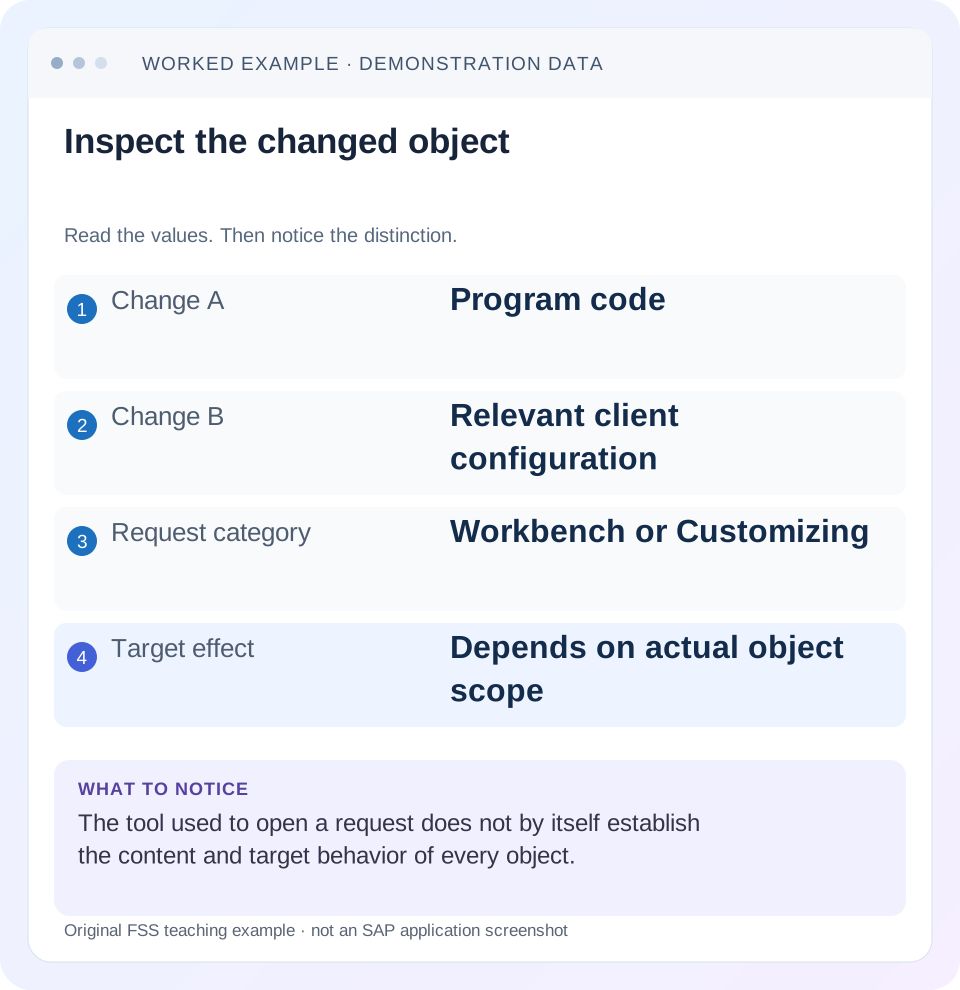
Read the example values
- Change A
- Program code
- Change B
- Relevant client configuration
- Request category
- Workbench or Customizing
- Target effect
- Depends on actual object scope
Words you’ll meet in this guide
- Instance
- A running SAP application-server environment.
- Client
- A logically separate data and configuration context in an ABAP system.
- Log
- A recorded sequence of events and messages.
- ABAP
- SAP’s programming language for business applications.
Preview the practical steps
SEE THE CONNECTION
See it in a simple example.
A small example to make the idea concrete.
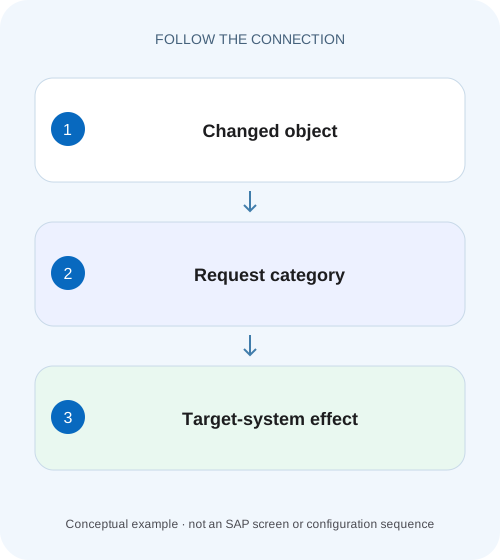
Transport a plant report and its configuration deliberately
A manufacturer releases a custom report together with organization-specific mapping settings.
The request type follows the content and its scope
Workbench requests normally record Repository objects and cross-client Customizing; Customizing requests record client-specific configuration from one source client.
Prerequisites and landscape boundaries
This tutorial is for ABAP developers, functional consultants and release coordinators with permitted request-display access.
Worked feature: a report plus a company-specific mapping
In our fictional development client 200, a team adds report ZDEMO_BILL_CHECK and a client-specific configuration entry assigning company 1000 to an approved reconciliation rule.
Transport a plant report and its configuration deliberately
A manufacturer releases a custom report together with organization-specific mapping settings.
Separate repository and customizing objects and their dependencies before assuming one request moves the complete operational feature.
| Reader | Business question | Evidence to carry forward |
|---|---|---|
| SAP developers and application teams supporting manufacturers | Transport a plant report and its configuration deliberately | Separate repository and customizing objects and their dependencies before assuming one request moves the complete operational feature. |
01 The request type follows the content and its scope
Workbench requests normally record Repository objects and cross-client Customizing; Customizing requests record client-specific configuration from one source client. Use the actual object's documented transport behavior, not whether the team calls the work “technical” or “functional, ” to classify it. [1]
SAP's general CTS documentation allows nuances, including some client-specific Customizing in Workbench requests, while particular features impose stricter rules. Therefore, “all settings use Customizing” and “all Workbench changes affect only code” are both unreliable. Inspect the actual object list and object-specific transport guidance. [1] [3]
02 Prerequisites and landscape boundaries
This tutorial is for ABAP developers, functional consultants and release coordinators with permitted request-display access. Identify the source system/client, intended target system/client, changed object or configuration activity and approved feature. You need access to the transport contents and dependency information, not necessarily authority to release or import.
The examples concern classic CTS. A managed public-cloud configuration environment can use different tools and scope controls. Even in classic CTS, transport routes, package assignments, client settings and recording behavior vary. Confirm them in your landscape instead of assuming a request is transportable because its description contains a target-system name.
03 Worked feature: a report plus a company-specific mapping
In our fictional development client 200, a team adds report ZDEMO_BILL_CHECK and a client-specific configuration entry assigning company 1000 to an approved reconciliation rule. The report reads the mapping at runtime. Development works because both the code and entry exist there.
Quality client 300 receives only the report request. The report starts successfully but says no reconciliation rule is assigned for company 1000. This is a plausible missing-dependency case, not evidence that the target needs the same source client number or that the developer should hard-code the mapping. The two content types support one feature but travel under their documented mechanisms.
| Content | Scope in this example | Target verification |
|---|---|---|
| ZDEMO_BILL_CHECK | Repository/shared code | Program version and execution |
| Company 1000 rule mapping | Client-specific configuration | Entry in quality client 300 |
| Referenced rule definition | Verify actual feature design | Supported rule exists before use |
04 Understand requests, tasks and recorded contents
A request groups change content for management and transport, with tasks used to organize contributors' recorded changes. A task or request description is human context, not a complete inventory. Review the recorded objects and relevant table-key entries using supported Transport Organizer functions.
For the example, identify the report object in its Workbench request and the actual mapping content in the appropriate configuration request. Confirm that the recorded keys represent company 1000 and the intended entry. Do not assume that saving a configuration screen captured every dependency or that selecting a request automatically adds unrelated objects needed by the feature.
05 Establish client-specific versus cross-client effects
A client-specific setting belongs to a client context. A Repository change can be relevant across clients in the system. Cross-client configuration also exists. These distinctions matter both for target selection and for impact assessment when a system hosts several clients. [2]
If the report code is changed in quality, all clients using that repository version may be affected, while the company-specific mapping could differ by client. Test the intended target client and consider other clients where the report is used. Importing into one client does not make every object in a Workbench request client-isolated.
06 Inspect the source recording conditions
For configuration, confirm whether the relevant client records changes automatically and whether the activity has a supported transport mechanism. SAP documents client-control influence on automatic recording. A change visible in development but absent from the request may reflect recording scope rather than a failed import. [1]
For repository objects, review the package and transport route context described by CTS documentation. A local object or nontransportable request does not become deployable merely by naming it after the feature. Resolve the supported source-side packaging or collection issue through the responsible owner rather than recreating objects directly in the target.
07 Build a dependency list that reflects runtime behavior
List code, configuration, referenced Dictionary objects and other prerequisites required by the feature. Establish which must arrive first and which can be imported together under the approved release plan. A report depending on a new structure may fail activation if the structure is missing, while a missing mapping may produce a later business error.
For ZDEMO_BILL_CHECK, record the report request and the mapping request as separate dependencies. Verify that the quality environment already contains any prerequisite data model or approved rule definitions. The release sequence should be justified by those actual relationships rather than a blanket rule that one request category always precedes the other.
08 Review object-specific exceptions
SAP's business-function documentation distinguishes system-wide settings transported as a whole from client-specific settings transported individually with Customizing requests. It explicitly constrains how those client-specific settings travel. That example demonstrates why a general CTS possibility is not permission to move every object in any convenient request. [3]
Before collecting unusual configuration, read the owning feature's transport guidance. Some settings have generated artifacts, activation effects or dependencies beyond a table entry. Avoid manipulating request object lists manually to force a desired category unless the supported procedure actually calls for it. The runtime and lifecycle semantics belong to the feature, not merely to the transport container.
09 Diagnose “works in development, missing in quality”
First compare the actual target client and feature inputs. Then inspect the recorded request content and import history. Determine whether the missing object or entry was never recorded, not released/imported, imported into another client or overwritten by a later change.
For the fictional mapping, a successful report import proves only that the report content traveled successfully. Inspect whether the mapping request was included and whether company 1000's entry exists in client 300 through supported configuration display. Do not copy database rows directly or hard-code the report simply to bypass the missing configuration.
10 Verify technical arrival and business behavior
After approved import, review the relevant detailed logs and target object/configuration state. Run the feature in the intended client with the known company 1000 fixture and verify the expected reconciliation rule. Then test a company with a different valid rule and an intentionally unconfigured company under the training design.
The positive test proves the intended combination works. The negative case should retain controlled handling of missing configuration rather than silently using the wrong company's rule. An unaffected-client check can expose an unintended cross-client effect when shared repository content changed. Record the results and exact target context, not merely “transport successful.”
11 Practical request-review worksheet
For each dependency, record its business purpose, technical object/key, client scope, request/task, source, target and verification. If a value is unknown, resolve it before release rather than relying on another team's request name. The worksheet makes missing configuration visible while the change is still reviewable.
Use the same list after import to reconcile arrival. If the report arrives but the mapping does not, you have a precise gap. If both arrive but behavior differs, inspect data, organizational context and runtime logic rather than repeatedly importing unchanged requests. The evidence should progressively narrow the failure boundary.
| Field | Question |
|---|---|
| Object/key | What exactly was recorded? |
| Client scope | Is the effect client-specific or shared? |
| Request and route | Is this content transportable to the intended target? |
| Dependency | What must exist before activation or execution? |
| Acceptance | Which business result establishes completeness? |
12 Exercises that test scope understanding
A positive paper exercise imports both fictional dependencies into the intended quality context and predicts a valid company 1000 result. A negative exercise imports code alone and expects the controlled missing-rule behavior. A boundary exercise changes the target client while leaving the code shared; the learner should check the client-specific mapping independently.
Another exercise puts an unrelated configuration entry into the request description but omits its recorded key. The correct conclusion is that the description does not prove transport content. A final exercise introduces a later request changing the same mapping; the learner must inspect import sequence and final state rather than treating the first successful import as permanent proof.
For the report-plus-mapping fixture, inspect the target in two deliberate passes. First verify shared code and referenced definitions without assuming the client-specific entry exists. Then display company 1000’s mapping in quality client 300 and compare its exact approved value with development. If code is correct but the mapping is absent, the investigation has found a content/scope gap rather than a reason to edit the report.
Include an unaffected company in the training comparison. If company 2000 already uses rule R2, the company 1000 correction should not silently redirect company 2000 to R1. This catches an overly broad recorded key or mistaken target maintenance. It also demonstrates why object/key inspection and business verification are complementary: successful transport processing alone cannot establish that the selected configuration population was correct.
For table-key scope, compare a request that records only company 1000’s intended mapping with one that unexpectedly includes additional companies. Both can use a Customizing container and import technically, but their business scope differs. Review the actual recorded keys and the owning activity’s supported transport behavior. The resulting verification should include company 1000 and one affected-looking neighbor, such as 2000, so an overly broad collection is detected before release. This extends the report-plus-mapping case from missing content to excessive content: completeness and bounded scope are both necessary for an explainable deployment.
13 Questions before release and closure
Is every Customizing setting client-specific? No; cross-client configuration exists. Does Workbench always mean ABAP source only? No. Can one feature require both request types? Yes, as the report-plus-mapping case illustrates. Does the source client number have to equal the target client number? Follow the supported landscape routing and target-client design rather than assuming numeric equality.
A useful closure identifies the feature's complete dependency set, imported content, target client and actual positive/negative results. Link the approved change and detailed logs. Continue with transport-return-code analysis when import results contain warnings or errors, and with incident/change governance when a missing dependency interrupts a business service.
Related services and next steps
Primary sources
Found this useful?
Share this guide with your network, or leave a like.
Your like is saved in this browser.