SAP pricing condition records: Find the valid record before changing a price
A component manufacturer finds an unexpected order price where a new customer agreement begins on another date.

Source review:
START HERE · NO PRIOR TOPIC KNOWLEDGE NEEDED
What it is. Why it matters.
A pricing condition record stores a rule or value used in price determination. Validity, keys and the pricing procedure affect whether the record applies to a particular sale.
Completely new to SAP?
Manufacturers use SAP to connect work such as buying components, recording inventory, planning production, shipping equipment and accounting for costs. SAP S/4HANA is an enterprise resource planning system: it connects these activities through shared business data.
Sales and Distribution connects customer orders, logistics and billing. Each stage has its own documents, quantities and status, so one stage’s success does not prove the whole sale is complete.
A transaction code, or t-code, is a shortcut to a task in classic SAP GUI. Fiori apps provide another way to work. Names and screens depend on the product and release; you do not need a live system to learn the concepts in this guide.

Scope and source-review notes
Scope and evidence
Source review by FAST SAP SOLUTIONS® editorial. This badge describes our editorial review; it does not represent SAP certification or independent endorsement.
SD condition-technique pricing for pricing analysts and SD support, using S/4HANA sales and classic SAP support documentation. Customer pricing procedures, manual conditions, formulas, exclusions and cloud maintenance apps vary. Fictional Z condition types are teaching labels.
Documentation review on 14 November 2026 used the available official SAP indexed excerpts; several SAP Help pages returned no readable full text. The worked case and proposed checks are original illustrative teaching material, not execution evidence from a customer SAP system. Exact fields, permitted actions and behavior must be confirmed against the installed product, release and configuration.
A MANUFACTURING EXAMPLE
Explain a component-customer price
A future price is not valid today
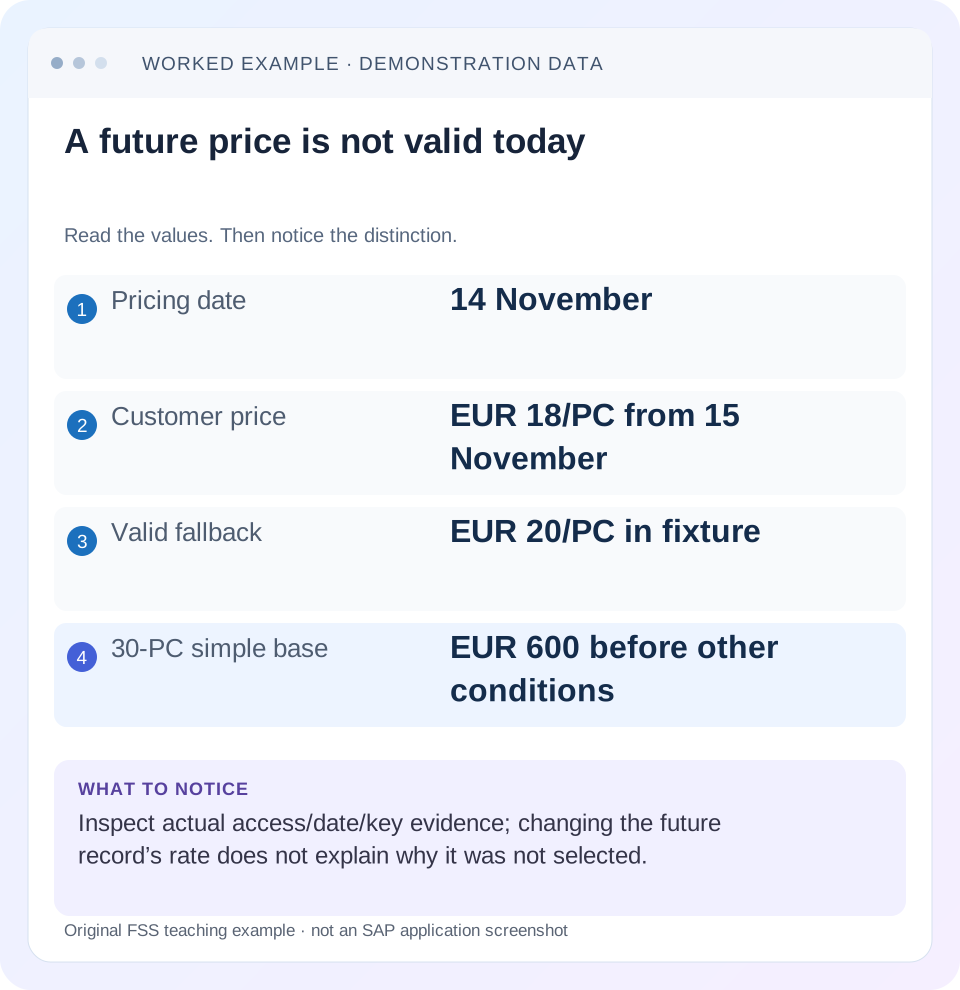
Read the example values
- Pricing date
- 14 November
- Customer price
- EUR 18/PC from 15 November
- Valid fallback
- EUR 20/PC in fixture
- 30-PC simple base
- EUR 600 before other conditions
Words you’ll meet in this guide
- Sales order
- A record of a customer’s order.
- Delivery
- A document organizing goods to be sent.
- Billing
- The process that creates a customer charge.
- Fiori
- SAP’s approach to business application design.
Preview the practical steps
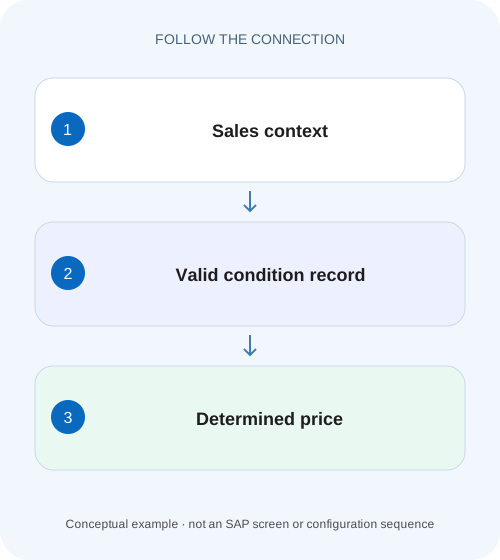
SEE THE CONNECTION
See it in a simple example.
A small example to make the idea concrete.
Explain a component-customer price
A component manufacturer finds an unexpected order price where a new customer agreement begins on another date.
A visible record is not proof that pricing used it
A condition record is master data selected under a configured pricing search and business context.
Audience and prerequisites
This tutorial is for pricing analysts, sales support and SD configuration owners.
Mechanism: procedure, type, access and record
The pricing procedure organizes relevant condition types and their calculation sequence.
Explain a component-customer price
A component manufacturer finds an unexpected order price where a new customer agreement begins on another date.
Compare the applicable pricing date, condition validity and pricing evidence before manually overriding the value.
| Reader | Business question | Evidence to carry forward |
|---|---|---|
| Equipment and component sales, dispatch and customer-service teams | Explain a component-customer price | Compare the applicable pricing date, condition validity and pricing evidence before manually overriding the value. |
01 A visible record is not proof that pricing used it
A condition record is master data selected under a configured pricing search and business context. Its condition type, key fields and validity must match the document, and the relevant access must be reached. Start with the actual item pricing analysis before editing the record someone expects to apply.
SAP documents access sequences as search strategies over condition tables, with configurable priority and whether one or several valid records are found. A record can exist but be outside the relevant date or key, skipped by a requirement, or superseded under the configured search. A wrong final amount can also arise after successful determination. [1] [2]
02 Audience and prerequisites
This tutorial is for pricing analysts, sales support and SD configuration owners. Obtain order/item, condition type, actual pricing date, organizational/customer/material keys, quantity/unit and observed condition result. You need permitted document-pricing and condition-master display; business price changes require the relevant approval.
The worked sequence is a simplified SD condition technique. It does not cover every formula, rebate, commodity or variant-pricing design. Some conditions are manual or derived from sources without an access sequence, as SAP documents. Use the actual condition type and installed edition's supported analysis and maintenance tools rather than assuming every price comes from one editable record. [2]
03 Mechanism: procedure, type, access and record
The pricing procedure organizes relevant condition types and their calculation sequence. For a record-based condition type, its access sequence searches condition tables whose fields define the record keys. Requirements can affect an access. A matching record supplies data used in the document's pricing calculation. [1] [5]
Separate those objects in the investigation. A missing condition type in the procedure cannot be repaired by creating more records for it. A wrong access key cannot be repaired by changing the amount of a record the search never finds. A found record with an unexpected calculated value calls for quantity, unit, scale, base and later-pricing analysis.
04 Worked case: the customer price starts tomorrow
In our fictional procedure, condition ZPRC searches a customer/material-specific price before a material fallback, with the training design selecting the first valid price. Sales organization 1000/distribution channel 10/customer C100/material M100 has EUR 18 per PC valid 15–30 November. The material fallback is EUR 20 per PC valid 1–30 November.
Order 47000123/10 is 30 PC with pricing date 14 November. The customer-specific record is not yet valid, so the fallback can apply under this fixture. Its simple base value is 30 ×20 = EUR 600. On a controlled equivalent fixture with pricing date 15 November, the specific price gives 30 ×18 = EUR 540. Those are illustrative outcomes, not a universal configured access default.
| Access/key | Validity | Rate | 14-November result |
|---|---|---|---|
| C100/M100 in sales 1000/10 | 15–30 November | EUR 18/PC | Not yet valid |
| M100 fallback in sales 1000/10 | 1–30 November | EUR 20/PC | Valid fallback under fixture |
| Equivalent 15-November order | Same specific key | EUR 18/PC | Specific record can apply |
05 Capture the actual pricing date and key values
Display the item's relevant pricing date and fields used by the actual access. Do not substitute order creation date, requested delivery date or today's date unless that is what the configured determination uses. SAP's pricing documentation distinguishes the date source and validity criteria. [3]
For the case, a valid 15-November record cannot explain a 14-November calculation just because the analyst is reviewing it on 16 November. Also verify sales area and the customer/material identity actually passed into pricing. A leading-zero representation or a different partner-derived pricing field can matter to the key; inspect typed business values through the supported analysis rather than guessing from a description.
06 Use item pricing analysis to see the search outcome
SAP documents pricing analysis from the pricing screen, showing condition types used and found/not-found information. Its classic support walkthrough identifies item Conditions and an analysis function; installed Fiori layouts differ. Open the relevant item's pricing evidence and identify ZPRC's actual access outcome. [4] [5]
Record each relevant access, key values, requirement result and selected record where exposed. For the fixture, distinguish “customer access has no valid record on 14 November” from “customer access was never executed.” The first points to date/key validity, while the second can point to search configuration or a requirement. Changing EUR 18 to EUR 17 does not answer either question.
07 Inspect the exact master record selected
Use supported condition-master display to inspect the found record's full key, validity interval, rate, currency, condition unit, pricing unit and scales where relevant. Compare its identity with the pricing analysis. A search list showing a familiar customer discount is insufficient if the document used another key combination.
Keep future-dated, expired and overlapping records distinct. Before any approved maintenance, understand the product's overlap handling and existing periods. SAP's classic condition-maintenance support material describes replacement behavior for certain same-key/same-validity creation cases. Do not create duplicate records as an unexplained attempt to force priority; review the actual supported maintenance result and its date coverage. [6]
08 Verify rate and pricing-unit arithmetic
A rate of EUR 200 per 10 PC is EUR 20 per PC. For 30 PC, that simple base is EUR 600, not EUR 6,000. Keep condition currency, price unit and quantity unit explicit before deciding the numeric rate is ten times wrong.
Now add a separately documented training discount ZDISC of 10 percent on the EUR 540 base. The discount is EUR 54 and the simplified net is EUR 486 before tax/freight or other conditions. If the discount's actual base differs, the result can differ while the record rate remains 10 percent. Compare the document's base/value rather than inferring the rate from a header total containing unrelated amounts.
14 November: 30 PC × EUR 20/PC = EUR 600 base
15 November: 30 PC × EUR 18/PC = EUR 540 base
Separate 10% discount on EUR 540 = EUR 54
Simplified net: EUR 540 − EUR 54 = EUR 486
Price-unit check: EUR 200 per 10 PC × 30 PC = EUR 600
09 Read scales and later conditions before blaming selection
A valid record can contain quantity/value scales. SAP's pricing overview illustrates selecting a price from a scale according to item quantity. In your case, inspect the actual scale basis, thresholds and relevant unit; do not assume every scale is a simple per-item quantity break. [5]
Also inspect manual changes, inactive/excluded conditions, formulas and other procedure logic where supported. A found EUR 18 price followed by an unexpected surcharge is different from failure to find EUR 18. The correct investigation preserves the selected record and then follows calculation. Editing the base price to offset an unrelated surcharge can corrupt other orders that use the same record.
10 Distinguish master maintenance from document repricing
An existing order contains its own pricing result and history. Changing master data does not automatically prove that this order or an already-created invoice adopted the new value. Determine the supported pricing-update or copying behavior and the approved business objective.
If a later invoice differs from the order, inspect its reference/pricing behavior, dates and quantities. Copy-control pricing can preserve or redetermine elements according to the configured process. Do not change a valid condition record solely to make one historical invoice match an expected amount; that may require a governed correction document instead of future-price maintenance.
11 Troubleshoot the earliest divergence
If the condition type is absent, inspect the procedure and application context. If present but not found, inspect actual accesses, key/date and requirements. If a different record is found, inspect priority and its validity. If the intended record is found but value differs, inspect units, scales, base and later conditions.
For intermittent-looking results, compare dates, quantities and business inputs between documents. Two orders for C100/M100 on opposite sides of 15 November can intentionally differ. Two orders at the same price can still use different records. Record identity and calculation evidence, not only the visible final unit price.
| Observation | Next check |
|---|---|
| Condition type absent | Procedure and document context |
| Access not executed | Requirement and search configuration |
| No valid record | Actual key and pricing date |
| Different record selected | Priority, validity and search completion |
| Correct record, wrong value | Price units, scales, base and later logic |
| Order/invoice differ | Copying, repricing, date and quantity |
12 Verify positive, negative and boundary cases
The positive fixture uses 15 November and expects EUR 18 per PC under the stated first-valid-price design. The negative fixture uses another customer without that specific record and expects the approved fallback if its other keys match. Boundary fixtures use 14/15 November and 30 November/1 December to test validity edges.
Add a price-unit check with EUR 200 per 10 PC and 30 PC, expecting EUR 600 simple base. Add the independent 10-percent discount case and reconcile EUR 486 net from EUR 540. For an approved real change, verify the intended new-price population and a representative unaffected case; inspect actual analysis and saved document values rather than merely observing that a condition-maintenance screen accepted the change.
13 Build a reviewable pricing explanation
A concise evidence record names the document/item, procedure/condition type, relevant date and key, access outcome, selected record and calculation. For the fixture: “14-November pricing correctly skips 15-November customer price; EUR 20 fallback found; 30 PC yields EUR 600 before other conditions.” If that is not the intended commercial agreement, the correction scope is the approved date/record design, not an arbitrary numeric edit.
Preserve the business approval and test evidence for any change, including affected periods and existing-document treatment. This lets another analyst distinguish a valid future price from a missing current agreement and a selection defect from a calculation defect. Continue with copy-control and correction-document lessons when the issue concerns billing derived from earlier sales data.
14 Questions before changing a price
Does a condition record's existence guarantee use? No; key, date, access and requirements matter. Does every condition need an access sequence? SAP documents manual and other-source exceptions. Does changing a master rate prove existing orders were repriced? Inspect the supported update behavior and actual document result.
Should a missing discount be solved by reducing the base price? First establish the intended discount type, record and calculation. Does equal net value prove correct pricing? Two different wrong components can cancel numerically. Verify condition identities and bases as well as the total so the explanation remains correct when quantity, date or tax changes.
Related services and next steps
Primary sources
Found this useful?
Share this guide with your network, or leave a like.
Your like is saved in this browser.