SAP PFCG: Role assignment, profile generation and user comparison explained
A plant buyer has an assigned classic ABAP role but still cannot perform the expected purchasing display task.

Source review:
START HERE · NO PRIOR TOPIC KNOWLEDGE NEEDED
What it is. Why it matters.
PFCG maintains roles in classic ABAP systems. A role organizes intended tasks and authorization data; profile generation and user comparison connect that design to an assigned user.
Completely new to SAP?
Manufacturers use SAP to connect work such as buying components, recording inventory, planning production, shipping equipment and accounting for costs. SAP S/4HANA is an enterprise resource planning system: it connects these activities through shared business data.
Security separates verifying an identity from granting permission to perform business actions. A role groups relevant access, while restrictions define the allowed data and activities.
A transaction code, or t-code, is a shortcut to a task in classic SAP GUI. Fiori apps provide another way to work. Names and screens depend on the product and release; you do not need a live system to learn the concepts in this guide.

Scope and source-review notes
Scope and evidence
Source review by FAST SAP SOLUTIONS® editorial. This badge describes our editorial review; it does not represent SAP certification or independent endorsement.
Classic ABAP PFCG role administration. Role types, comparison jobs, identity management and active-session behavior must follow the installed release and security design.
Reviewed official SAP role creation, profile regeneration, user comparison and PFCG documentation and available indexed excerpts on 14 November 2026. The user, role, organizations and expected checks are fictional teaching examples. No customer-role maintenance or SAP-system execution was performed. Follow the installed release and approved security process.
A MANUFACTURING EXAMPLE
Explain a buyer role that is not yet effective
Follow one role assignment
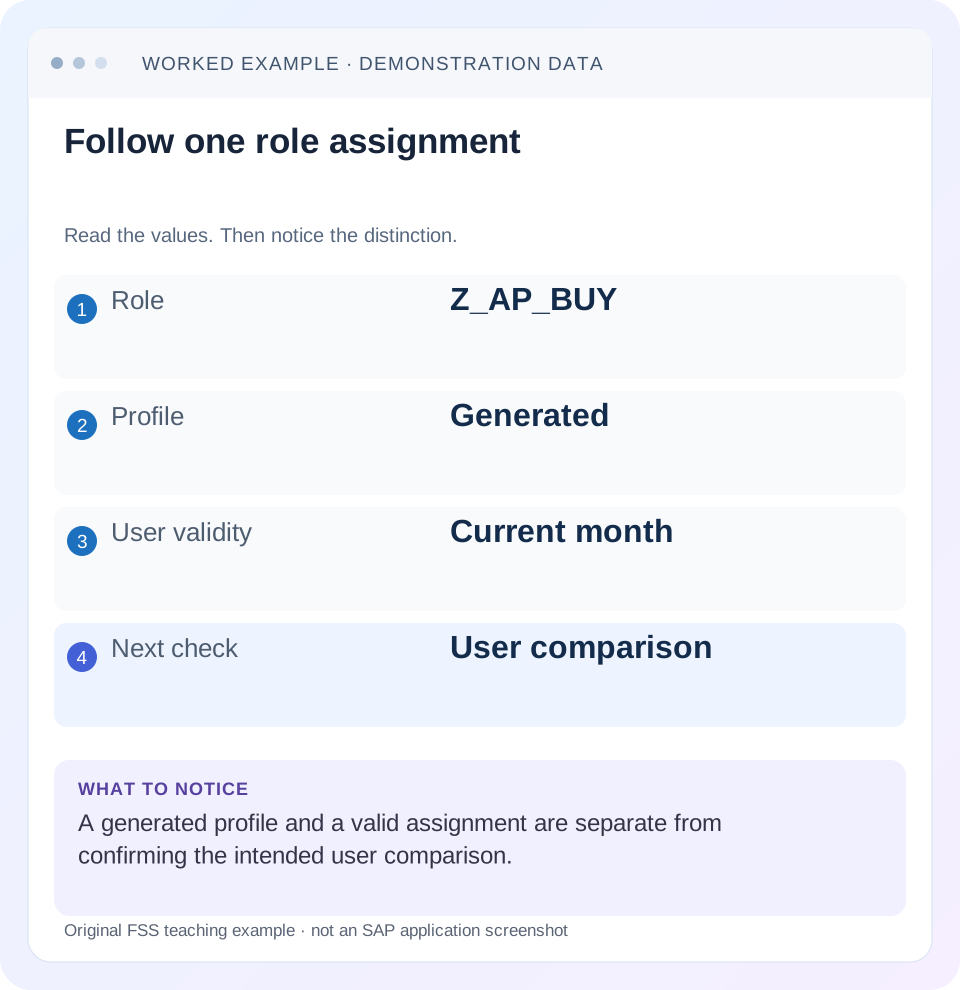
Read the example values
- Role
- Z_AP_BUY
- Profile
- Generated
- User validity
- Current month
- Next check
- User comparison
Words you’ll meet in this guide
- Authentication
- Checking who an identity belongs to.
- Authorization
- Permission for an action on particular data.
- PFCG
- The classic ABAP Role Maintenance transaction for organizing roles.
- Role
- A grouping of intended tasks and associated permissions.
- Authorization object
- A grouping of related permission fields checked by relevant SAP application logic.
- ABAP
- SAP’s programming language for business applications.
- BTP
- SAP Business Technology Platform: cloud services for applications, data and integration.
- Fiori
- SAP’s approach to business application design.
Preview the practical steps
SEE THE CONNECTION
See it in a simple example.
A small example to make the idea concrete.
Explain a buyer role that is not yet effective
A plant buyer has an assigned classic ABAP role but still cannot perform the expected purchasing display task.
The short answer: role assignment is only one checkpoint
A role listed against a user does not by itself explain whether a particular operation should succeed.
Audience, prerequisites and scope
This tutorial is for an ABAP security administrator, support analyst or application owner investigating a role-related access problem.
Understand the four states you are comparing
The role is the maintained design: intended tasks, menu context and authorization data.
Explain a buyer role that is not yet effective
A plant buyer has an assigned classic ABAP role but still cannot perform the expected purchasing display task.
Follow role content, generated profile and user-comparison evidence before assuming assignment alone proves effective access.
| Reader | Business question | Evidence to carry forward |
|---|---|---|
| SAP developers and application teams supporting manufacturers | Explain a buyer role that is not yet effective | Follow role content, generated profile and user-comparison evidence before assuming assignment alone proves effective access. |
01 The short answer: role assignment is only one checkpoint
A role listed against a user does not by itself explain whether a particular operation should succeed. In classic ABAP role administration, distinguish the role’s authorization design, its generated authorization profile, the valid user assignment and the user comparison that applies the relevant profiles to user master records. Then verify the actual business operation.
SAP’s role-creation guidance describes profile generation, user assignment and user comparison as distinct parts of the process. Your administration route may automate some steps, but the investigation still needs evidence that the appropriate resulting state exists. Repeating every step blindly is less useful than locating the first state that does not match the approved access. [1] [2]
02 Audience, prerequisites and scope
This tutorial is for an ABAP security administrator, support analyst or application owner investigating a role-related access problem. Use authorized display access first, with the exact system/client, user, role, task and failed operation. Any maintenance requires the organization’s approved role-change and access-assignment process.
The main worked example uses one fictional single role in a classic PFCG landscape. Composite roles, derived roles, organizational management, central identity management and Fiori-specific access layers need their own supported process. The guide does not imply that PFCG administers every permission in SAP BTP or every Public Edition business-role application.
03 Understand the four states you are comparing
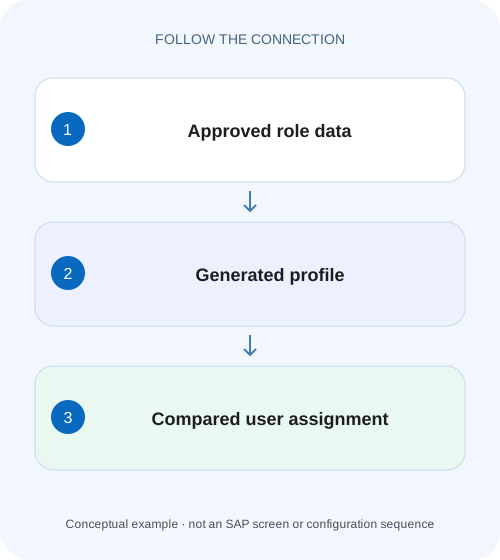
The role is the maintained design: intended tasks, menu context and authorization data. The generated profile is the authorization information created from that design. A user assignment connects a role to an identity for an applicable period. User comparison brings the relevant generated profiles into the appropriate user master records.
A menu entry helps a user navigate to a task, but navigation is not a complete description of business authorization. The task can perform authorization checks involving activities and organizational scope. A role can therefore look familiar while granting a different action or data scope from the one the user needs.
Keep these states separate in a ticket. “Role saved” answers a design-maintenance question. “Profile generated” answers a generation question. “Assignment valid today” answers an assignment-period question. “User comparison reviewed” addresses propagation into the user master. “Buyer can display the approved purchase order” is the application-level acceptance result.
| Checkpoint | Question | Evidence to inspect |
|---|---|---|
| Role design | Does the approved task and data scope exist? | Actual role authorization data and organizational values. |
| Generated profile | Does the generated state reflect the reviewed design? | Generation status and relevant role/profile relationship. |
| User assignment | Is this identity assigned in the intended period? | User, role, system/client and validity dates. |
| User comparison | Were the appropriate profiles applied? | Supported comparison result and relevant user-master state. |
| Business verification | Does the intended task work within the approved boundary? | Controlled positive and excluded-scope checks. |
04 Worked scenario: a buyer can navigate but cannot display the order
Imagine USER_A has the fictional single role Z_AP_BUY. The approved requirement is to display the relevant purchasing documents within purchasing organization P100. Access to the representative excluded P200 case is not part of the approval. These are teaching labels, not delivered SAP role names or universal organizational settings.
The role appears in the assignment and the buyer sees a menu entry, but a P100 display action fails. The team observes that the role data was recently changed. Before requesting another role, inspect whether the current authorization data actually contains the approved activity and organizational values, whether the relevant profile is current and whether USER_A has the intended effective assignment.
Now consider two outcomes. If the reviewed design never contained the needed P100 display permission, generation alone cannot invent it. If the design is correct but its generated profile is stale, assigning another unrelated role obscures the actual propagation problem. The observed difference determines the repair path.
| Context | Intended result | Why it is included |
|---|---|---|
| USER_A / Z_AP_BUY | Assignment valid for the approved period | Tests identity and assignment context. |
| Display representative P100 order | Permitted under the approved design | Positive business acceptance case. |
| Representative P200 access | Excluded by the intended access boundary | Detects unintended broadening. |
| Unrelated administrative operation | No additional permission introduced | Ensures incident handling does not grant blanket access. |
05 Step 1: review the authorization design before generating
Open the actual role through the supported PFCG display/maintenance process. Confirm the role type, business purpose and authorization data relevant to the failed action. Review the organizational values and the approved change context. Do not use a green menu status as a substitute for reading the authorization design.
SAP documents that changes to authorization data can leave the generated profile no longer current, and distinguishes generation status situations in its role-maintenance guidance. Read the explanatory status text in your release. A color is a starting point; it is not a sufficient reason to generate unreviewed permissions. [3]
If the design is wrong, use a reviewed role change with the appropriate transport or identity-management process. If the design is correct, retain that evidence and move to generation. This order makes the resulting change explainable: first establish what should be granted, then establish that the generated state represents it.
06 Step 2: establish the generated profile and effective user assignment
For an approved role design, inspect the relevant generation state. Where generation is required, an authorized administrator follows the supported PFCG procedure and reviews its result. Do not maintain generated profiles directly as a shortcut around the role lifecycle; SAP’s role-creation guidance describes assignment through roles and user comparison. [1]
Then inspect USER_A’s actual assignment and validity in the correct system/client. A role with the same name elsewhere is not evidence for this user. An assignment that starts tomorrow or ended yesterday requires a different decision from a current assignment whose profile propagation is incomplete.
SAP documents user comparison as applying the generated role profiles to the appropriate user master records. Depending on the administration route and configuration, comparison may occur automatically or through a supported explicit/background process. Inspect the actual outcome instead of assuming that a particular button must always be pressed manually. [4]
07 Step 3: consider time-dependent assignments and session context
A validity date is an access-design input, and the supporting administration process must keep the user-master state consistent with time-dependent assignments. SAP’s documentation discusses PFCG_TIME_DEPENDENCY for the relevant comparison scheduling. Check the installed process and job evidence with the security owner; do not treat entering a date as proof that every later refresh has occurred. [1] [4]
When the role/profile/assignment/comparison states are correct but the application symptom remains, follow the supported session and authorization-diagnosis procedure. Record whether the user is testing through the original route and identity. A technical interface identity, frontend identity or application-specific permission can introduce another layer.
Use the separate SU53 guide for capturing a relevant authorization failure in its actual context. Do not infer that every failed business action is caused by this one PFCG role, and do not add a broad administrator role merely to distinguish role generation from an application error.
08 Troubleshooting decisions for common role incidents
Use the first unexplained state to narrow the next check. Avoid combining a role redesign, a validity extension and a mass assignment in one speculative fix; that makes it difficult to tell which problem existed and whether access was broadened unnecessarily.
| Observation | What it establishes | Next check |
|---|---|---|
| Role visible in the user assignment | An assignment record exists | Validity, generation, comparison and actual task scope. |
| Menu entry visible | A navigation route is available | Business authorization for the specific operation. |
| Authorization data changed after generation | Generated state may not reflect the reviewed design | Actual generation status and approved regeneration. |
| Profile current but user still fails | Generation alone does not resolve the full chain | Correct identity, validity, comparison and relevant failure evidence. |
| Assignment expired | Current validity does not match requested access | Approved access-period decision and effective comparison state. |
| Buyer now has P200 access too | Positive test alone missed a scope expansion | Review the complete effective access and excluded-case result. |
09 Verification: test the intended access and the boundary
Use an authorized test identity or the approved verification process. First exercise the representative P100 display action from the original route. Confirm the actual document and operation, not merely that the transaction opens. Then exercise a permitted negative test representing the intended excluded scope.
The expected P200 result in this fictional scenario is exclusion under its approved overall access design. Real users can have several roles and application-specific rules, so evaluate their complete intended access rather than assuming one role determines every outcome. A failed negative test is as important as a successful positive test.
Record the role design/version context, generated-profile state, assignment period, comparison evidence and the two business results. If a later application error occurs after authorization succeeds, route that as a separate observation. The goal is a bounded, explainable access change, not a collection of green technical indicators.
10 Frequently asked questions
Does assigning a role always require a manual comparison? The relevant effective comparison must occur, but the supported administration route and configuration can automate it. Inspect the documented process and actual result before repeating maintenance steps.
Does a generated profile prove the user has access? No. The profile must represent the intended permissions and be connected to the appropriate valid user assignment through the supported process. The application operation still needs verification.
Can I repair a role incident by editing the generated profile directly? Follow the role-maintenance lifecycle. The linked SAP role-creation guidance explains assignment of generated profiles through roles and comparison; bypassing the design makes future maintenance and review harder.
Why can the transaction open while one document action fails? Navigation and business-data authorization are different checkpoints. Capture the exact action, identity and document scope, then investigate the relevant authorization or application result.
What should the resolution say? For this scenario: the approved P100 display scope was reviewed, the intended profile/assignment/comparison state was established, the P100 action was verified and the excluded P200 case was checked. Replace those teaching labels with the real approved scope and evidence.
Related services and next steps
Primary sources
Found this useful?
Share this guide with your network, or leave a like.
Your like is saved in this browser.