SAP SU01: Separate user lock, validity dates and password problems
A manufacturing support user appears unlocked but still cannot sign in because another account-state condition may apply.

Source review:
START HERE · NO PRIOR TOPIC KNOWLEDGE NEEDED
What it is. Why it matters.
SU01 manages ABAP user master records. Account locks, account validity dates, user types and password rules describe different conditions that can affect a login.
Completely new to SAP?
Manufacturers use SAP to connect work such as buying components, recording inventory, planning production, shipping equipment and accounting for costs. SAP S/4HANA is an enterprise resource planning system: it connects these activities through shared business data.
Security separates verifying an identity from granting permission to perform business actions. A role groups relevant access, while restrictions define the allowed data and activities.
A transaction code, or t-code, is a shortcut to a task in classic SAP GUI. Fiori apps provide another way to work. Names and screens depend on the product and release; you do not need a live system to learn the concepts in this guide.

Scope and source-review notes
Scope and evidence
Source review by FAST SAP SOLUTIONS® editorial. This badge describes our editorial review; it does not represent SAP certification or independent endorsement.
Classic ABAP user administration through SU01. SAP GUI, external identity-provider login, HTTP/RFC users and centrally managed identities require their supported diagnostic routes. The example dates and user identifiers are fictional; account validity is distinct from role-assignment validity.
Reviewed relevant official SAP documentation and available official indexed excerpts on 14 November 2026. The identifiers, requests, timelines and expected checks are original illustrative teaching material; no customer SAP execution or reproduction of an incident is claimed. Apply the documented options for the installed product, release and authentication route.
A MANUFACTURING EXAMPLE
Restore the intended factory support login
Unlocked is not the same as valid
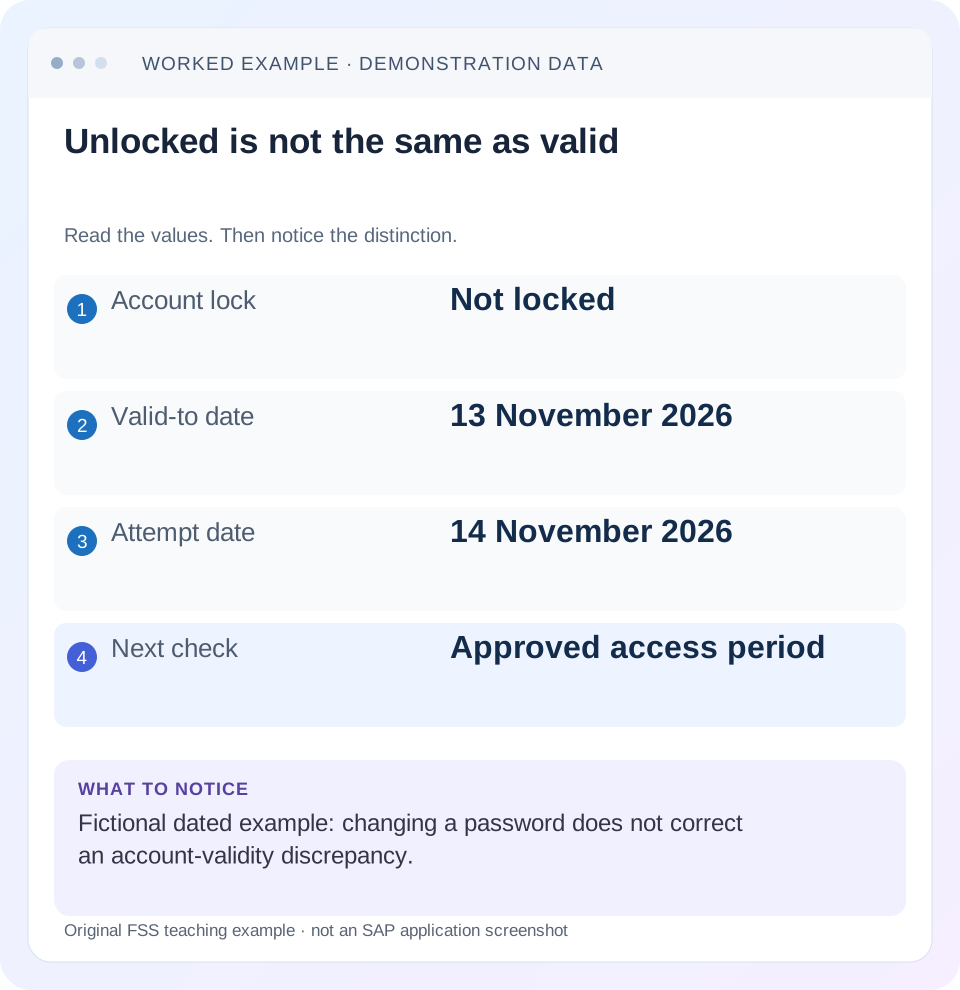
Read the example values
- Account lock
- Not locked
- Valid-to date
- 13 November 2026
- Attempt date
- 14 November 2026
- Next check
- Approved access period
Words you’ll meet in this guide
- Authentication
- Checking who an identity belongs to.
- Authorization
- Permission for an action on particular data.
- PFCG
- The classic ABAP Role Maintenance transaction for organizing roles.
- Role
- A grouping of intended tasks and associated permissions.
- Authorization object
- A grouping of related permission fields checked by relevant SAP application logic.
- ABAP
- SAP’s programming language for business applications.
- RFC
- Remote Function Call: a way for one system to call functions in another.
- GUI
- Graphical user interface. SAP GUI is a desktop interface used for many classic SAP tasks.
- HTTP
- The request-and-response protocol used by web applications and APIs.
Preview the practical steps
SEE THE CONNECTION
See it in a simple example.
A small example to make the idea concrete.
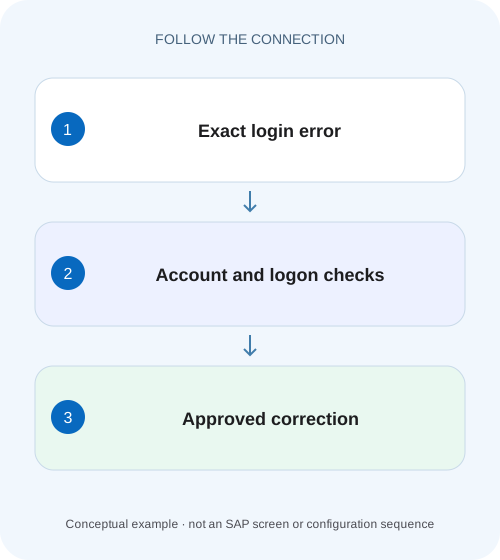
Restore the intended factory support login
A manufacturing support user appears unlocked but still cannot sign in because another account-state condition may apply.
The short answer: identify which condition actually prevents login
An unlocked ABAP user can still be unable to log on because the user master is outside its validity interval, its user type does not support the attempted route or the selected authentication mechanism is not configured for that identity.
Know which identity and client you are inspecting
A display name in a browser, an identity-provider email and an ABAP user name are not necessarily the same identifier.
Read the Logon Data tab as separate controls
In the documented classic SU01 context, the Logon Data tab includes user type, password-related state, security policy and Valid from/Valid to fields.
Restore the intended factory support login
A manufacturing support user appears unlocked but still cannot sign in because another account-state condition may apply.
Check lock, validity and password context separately before repeatedly resetting an account that remains outside its valid period.
| Reader | Business question | Evidence to carry forward |
|---|---|---|
| SAP developers and application teams supporting manufacturers | Restore the intended factory support login | Check lock, validity and password context separately before repeatedly resetting an account that remains outside its valid period. |
01 The short answer: identify which condition actually prevents login
An unlocked ABAP user can still be unable to log on because the user master is outside its validity interval, its user type does not support the attempted route or the selected authentication mechanism is not configured for that identity. A password reset addresses a password problem; it does not automatically repair all of those other conditions.
Start from one failed login: exact system/client, intended identity, route, time and message. Use SU01 through an authorized administrator to inspect the relevant user master, then compare that state with the route the person or integration actually uses. Once authentication succeeds, verify the business task separately because account status and application permission answer different questions.
02 Know which identity and client you are inspecting
A display name in a browser, an identity-provider email and an ABAP user name are not necessarily the same identifier. SAP’s Logon Data documentation also describes aliases that can be presented by a user while administration needs the underlying user master. Resolve the actual account before interpreting its lock or validity state. [4]
Keep the ABAP system and client with the identity. An unlocked account in a quality client does not establish the production account’s state. For a technical interface, identify whether the backend receives a named technical user or a propagated user. Inspect the identity actually used by that request rather than an administrator account that can reach the same endpoint.
The initial investigation needs authorized display access and the original error. It does not require creating a replacement user or changing the account type. Preserve the observable facts so later maintenance has a specific reason.
03 Read the Logon Data tab as separate controls
In the documented classic SU01 context, the Logon Data tab includes user type, password-related state, security policy and Valid from/Valid to fields. Validity defines when the user master can be used. The password controls concern a particular authentication route; they are not a universal account-enabled switch. [1]
Inspect the actual date values rather than assuming blank, default-looking or familiar entries mean “valid today.” SAP documents empty validity fields as unrestricted in this classic context. Compare the recorded interval with the relevant system-date context and approved access period. Keep that decision separate from role validity, which concerns assigned permissions. [4]
A security policy can also influence logon/password requirements. Read the assigned policy and actual error through the supported process; do not change a shared policy or system parameter to repair one unexplained login. The purpose of this tab review is to locate the condition, not to make every field less restrictive.
04 Worked case: unlocked, but the validity period ended
In the fictional case, USER_AP is intended to work in QAS client 200 on 14 November 2026. SU01 shows no account lock, user type Dialog and Valid to = 13 November 2026. The person reports “my password is wrong,” but the original error and user state point first to the expired validity interval.
The approved access record, in this illustration, permits the account through 30 November. The administrator should verify that approval and resolve the date discrepancy through the normal maintenance process. Resetting a password while leaving Valid to unchanged does not address the recorded condition.
Now change one fact: suppose the approved access really ended on 13 November. The same user-master state can be correct, and the requested extension needs a new access decision. The technical display cannot decide whether access should be extended. That is why an investigation combines observed state with the intended business period.
| Field or evidence | Observed state | Interpretation |
|---|---|---|
| System/client | QAS / 200 | Scope of this account review. |
| User | USER_AP | Underlying ABAP identity. |
| Lock | No lock shown | Only the inspected lock condition is clear. |
| User type | Dialog | Appropriate to the declared interactive route. |
| Valid to | 13 November 2026 | Outside the declared 14 November login date. |
| Approved end date | 30 November in this illustration | Evidence for a controlled validity correction. |
05 User type: a technical account is not a dialog test account
Classic user types encode different intended uses. SAP documents Dialog users for interactive access, while System and Communication types do not support SAP GUI dialog login. A Reference user cannot itself log on. Use the installed documentation for the exact behavior of each type and mechanism. [3] [4]
If an interface user cannot open SAP GUI, that observation can be consistent with its intended type. Changing the user to Dialog merely to reproduce a technical call alters the access model and does not prove that the interface route will work. Test the supported interface operation under its actual configured identity.
Conversely, an interactive person unexpectedly maintained as a technical type requires an identity-design review. Do not copy a working administrator’s type and permissions onto the account as an unexamined repair. First establish what kind of account the application actually needs.
| User type | Documented distinction | Practical interpretation |
|---|---|---|
| Dialog (A) | Supports individual interactive SAP GUI use | Inspect the person’s actual logon and policy state. |
| System (B) | Technical processing; no SAP GUI dialog login | Verify through the intended technical route. |
| Communication (C) | Communication use; no SAP GUI dialog login | Follow the supported communication mechanism. |
| Reference (L) | Authorization-reference purpose; cannot log on | Do not treat it as a normal login identity. |
06 Password state and single sign-on are separate routes
SAP’s classic documentation describes password deactivation as preventing password-based logon while allowing the supported single-sign-on variants. Therefore a user who signs in through a configured SSO route can legitimately have a different password-login outcome. Confirm the intended route before creating a new initial password. [4]
A login redirect from an identity provider is not proof that the ABAP account mapping and backend status checks passed. For principal propagation or another external flow, trace the mapped backend identity and relevant failure with the integration/security owner. The Cloud Connector troubleshooting reference illustrates this additional layer; it is not a universal recipe for all HTTP integrations. [2]
Keep secrets out of the investigation record. The useful evidence is the identity mapping, mechanism, timestamp and sanitized error, not the password, assertion or bearer token. Requesting a user’s password does not make a support reproduction more reliable.
07 Inspect lock evidence without treating unlock as a universal fix
Read the actual lock information and incident timing through the supported SU01 process. Distinguish an administrator-imposed restriction from evidence of failed authentication attempts where the installed system exposes that distinction. A later lock can be a consequence of repeated attempts rather than the original reason the first login failed.
For example, an interface may still use a retired credential after an approved rotation. Unlocking its backend user repeatedly leaves the old consumer unchanged. Find the consumer, its configured credential reference and the intended rotation state. Coordinate any account maintenance with correction of the original caller.
Avoid diagnosing from a generic “locked” label supplied by a user or portal. Record whether the ABAP system actually reported a lock, whether the account is valid for the date and whether the route supports the account type. These checks make the next maintenance step explainable.
08 A practical investigation sequence
Use a consistent observation order so that a later change does not erase the condition you were trying to understand. For a centrally managed account, identify where the authoritative field is maintained before changing a local copy.
Capture the original attempt
Record system/client, timestamp, route and the underlying user identity. Preserve the exact sanitized error and whether this is an interactive or technical caller.
Expected observation: One failed attempt has a defined scope.
Display the correct user master
In authorized SU01 display, inspect Logon Data validity/type/password-policy context and the relevant lock information. Compare account dates with the intended access period.
Expected observation: Observed status is separated into specific conditions.
Check the external mapping if applicable
For SSO or propagated access, correlate the identity-provider subject and backend mapping with the actual request. Do not assume a matching display name proves identity.
Expected observation: The backend account under review is the one used by the failing route.
Apply one justified correction
Use the approved identity procedure for the condition actually established, including the authoritative administration system where relevant.
Expected observation: The reason and resulting account state are recorded.
Retest the original route and task
Use the intended identity, verify permitted login and then perform the representative business operation.
Expected observation: Authentication and business permission have separate results.
09 Troubleshooting: choose the right branch
The following observations narrow the next check; they do not replace the original error or the installed documentation. A password reset, validity extension and role assignment should not be bundled together merely because one user cannot enter SAP.
| Observation | Question to resolve | Next evidence |
|---|---|---|
| Unlocked but outside validity | Was the access period intended to end? | Approved period and authoritative validity data. |
| System user fails SAP GUI login | Is this an unsupported route for the type? | Technical-user purpose and supported interface test. |
| SSO succeeds; password route fails | Is password login intentionally unavailable? | Logon Data/password status and documented SSO design. |
| Identity provider accepts login; backend rejects | Which ABAP identity was mapped? | Mapping, backend status and correlated request message. |
| Unlock helps briefly, then lock returns | Does a consumer continue failed attempts? | Caller logs and credential/rotation context. |
| Login succeeds; one document is denied | Has the incident moved to authorization? | Original task, relevant SU53 capture and approved scope. |
10 Practice checks and expected outcomes
Use a training worksheet with the worked account state rather than experimenting on a productive identity. Change one condition at a time. With the declared 14 November date and Valid to = 13 November, removing a fictional lock alone does not fix validity. With a valid System user, a failed GUI attempt does not establish a broken RFC interface.
For an approved development verification, check the exact original route after maintenance and retain its result. Then test the permitted business task without adding unrelated roles. If login succeeds but the task is denied, keep the successful authentication evidence and begin the narrower authorization investigation.
Include a negative case representing the intended boundary: an expired account whose access was not approved for extension should remain unavailable. The objective is the correct account lifecycle, not universal success for every attempted identity.
11 Frequently asked questions
Can a user be unlocked and still unable to log on? Yes. Validity, user type, password route and external mapping can independently matter. Read the exact condition and error rather than interpreting “unlocked” as a complete login result.
Is user-master validity the same as role validity? No. The first concerns the account’s period; role assignments concern permission periods. An account can authenticate while an expired role no longer provides a business permission.
Should every technical account be tested in SAP GUI? No. Use the supported mechanism for its purpose. The classic System and Communication types described here do not allow dialog GUI login.
Does a password reset repair SSO mapping? Not automatically. A mapping or trust failure belongs to the relevant identity flow. Establish which backend user the request should use and where that mapping differs.
What belongs in the resolution? State which condition was observed, why the correction was approved, which authoritative record changed and the separate outcomes of login and the representative business task. That avoids another speculative reset the next time the account fails.
Related services and next steps
Primary sources
Found this useful?
Share this guide with your network, or leave a like.
Your like is saved in this browser.