SAP SUIM access review: Find who has a role without mistaking it for a complete audit
A manufacturer reviews who currently holds a purchasing support role across its SAP users.

Source review:
START HERE · NO PRIOR TOPIC KNOWLEDGE NEEDED
What it is. Why it matters.
SUIM provides reports about users, roles, profiles and authorizations. A review must define whether it concerns current assignments, historical changes or a different security question.
Completely new to SAP?
Manufacturers use SAP to connect work such as buying components, recording inventory, planning production, shipping equipment and accounting for costs. SAP S/4HANA is an enterprise resource planning system: it connects these activities through shared business data.
Security separates verifying an identity from granting permission to perform business actions. A role groups relevant access, while restrictions define the allowed data and activities.
A transaction code, or t-code, is a shortcut to a task in classic SAP GUI. Fiori apps provide another way to work. Names and screens depend on the product and release; you do not need a live system to learn the concepts in this guide.

Scope and source-review notes
Scope and evidence
Source review by FAST SAP SOLUTIONS® editorial. This badge describes our editorial review; it does not represent SAP certification or independent endorsement.
ABAP SUIM User Information System role/user reporting. The exercise uses a verified starting snapshot plus a declared complete change history; real historical reconstruction depends on retained evidence and configuration. SUIM assignment reports do not establish every effective permission or prove business-data access.
Reviewed relevant official SAP documentation and available official indexed excerpts on 14 November 2026. The identifiers, requests, timelines and expected checks are original illustrative teaching material; no customer SAP execution or reproduction of an incident is claimed. Apply the documented options for the installed product, release and authentication route.
A MANUFACTURING EXAMPLE
Review purchasing support access by evidence
Date the assignment evidence
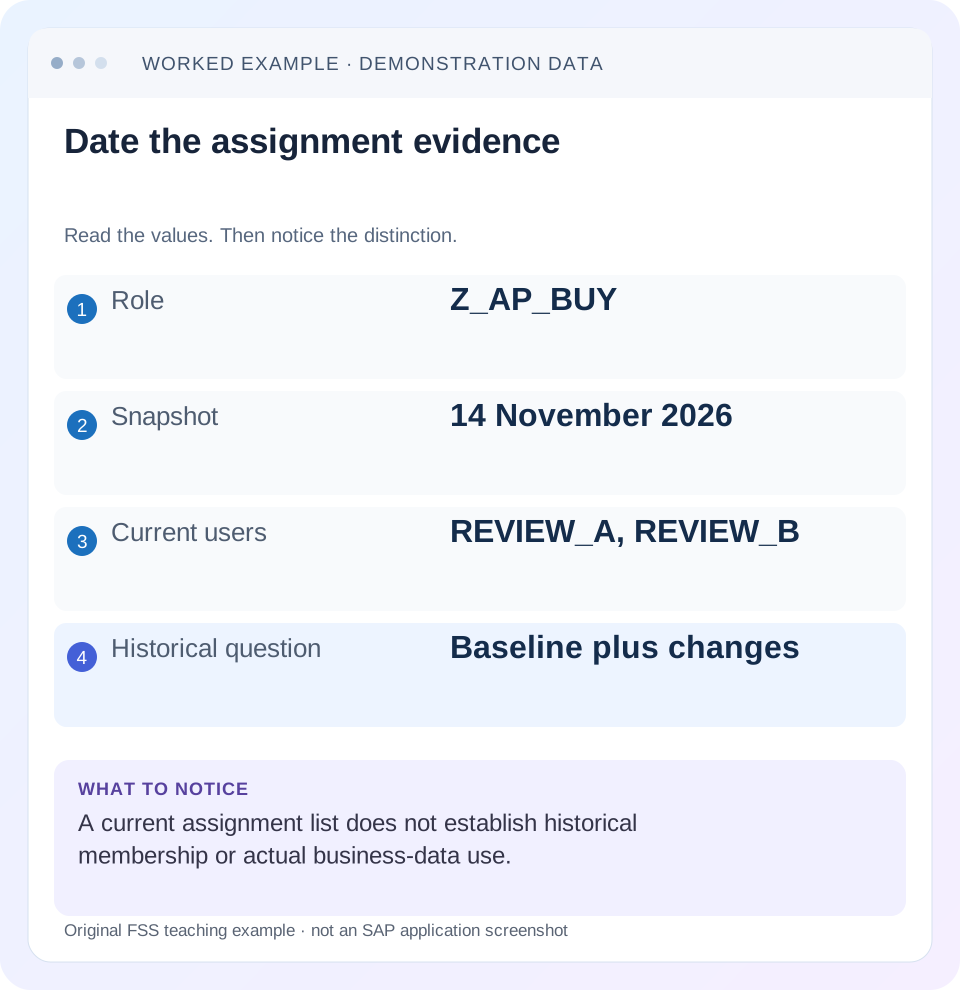
Read the example values
- Role
- Z_AP_BUY
- Snapshot
- 14 November 2026
- Current users
- REVIEW_A, REVIEW_B
- Historical question
- Baseline plus changes
Words you’ll meet in this guide
- Authentication
- Checking who an identity belongs to.
- Authorization
- Permission for an action on particular data.
- PFCG
- The classic ABAP Role Maintenance transaction for organizing roles.
- Role
- A grouping of intended tasks and associated permissions.
- Authorization object
- A grouping of related permission fields checked by relevant SAP application logic.
Preview the practical steps
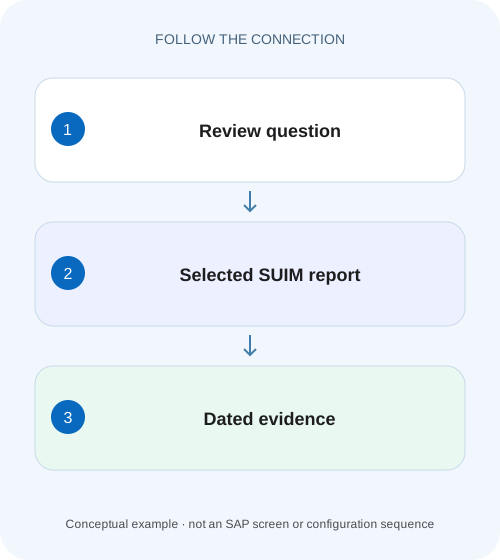
SEE THE CONNECTION
See it in a simple example.
A small example to make the idea concrete.
Review purchasing support access by evidence
A manufacturer reviews who currently holds a purchasing support role across its SAP users.
Start with a review question that a report can answer
“Who has access?” can mean at least four different questions: who is assigned a named role today, who held it during a past period, who has an authorization value regardless of role name, or who actually performed a business action.
Prerequisites: scope, authority and a dated evidence record
Use an authorized reviewer account and identify the system/client, role or authorization criterion, review date, relevant period and output audience.
Choose roles-in-users for a named role assignment question
SAP’s where-used documentation lists Roles → In Users with report RSUSR002.
Review purchasing support access by evidence
A manufacturer reviews who currently holds a purchasing support role across its SAP users.
Record selection date and assignment scope and distinguish a role list from proof of effective access or a complete audit.
| Reader | Business question | Evidence to carry forward |
|---|---|---|
| SAP developers and application teams supporting manufacturers | Review purchasing support access by evidence | Record selection date and assignment scope and distinguish a role list from proof of effective access or a complete audit. |
01 Start with a review question that a report can answer
“Who has access?” can mean at least four different questions: who is assigned a named role today, who held it during a past period, who has an authorization value regardless of role name, or who actually performed a business action. SUIM provides reporting capabilities for users, roles, profiles, authorizations and change documents, but one result list does not answer all four. [2]
Write the question before choosing the report. For example: “In QAS client 200, which users are assigned Z_AP_BUY on the review date, and which assignments changed during November?” This produces a defined snapshot and a separate change review. If the risk question concerns an actual purchasing operation, follow the relevant authorization design and application evidence as well.
02 Prerequisites: scope, authority and a dated evidence record
Use an authorized reviewer account and identify the system/client, role or authorization criterion, review date, relevant period and output audience. Obtain the business owner’s definition of the access being reviewed. A role with a purchasing-sounding name may contain a different organization or task from the one the reviewer assumes.
Keep selection criteria with the exported result. At minimum record the report or navigation route, role selection, relevant user criteria, execution time and how validity is interpreted. If the report is rerun after a correction, retain the earlier snapshot rather than silently replacing it.
Limit the evidence to the defined review. A request about one purchasing role does not require distributing a complete user directory. This also improves technical clarity: another reviewer should be able to distinguish the actual selected population from unrelated accounts visible elsewhere in the system.
03 Choose roles-in-users for a named role assignment question
SAP’s where-used documentation lists Roles → In Users with report RSUSR002. In the classic SUIM navigation, select the relevant where-used-list route, specify the role or roles and execute the report. The exact navigation labels and available selection options depend on the release; the important point is to choose the report that links the named role selection to its users. [1] [4]
Inspect the resulting identities and assignment context. A result for Z_AP_BUY describes that report’s selected role relationship. It does not establish that every listed person can perform every purchasing action, because validity, organizational values, effective profiles and application-specific checks still matter.
Use multiple selection or supported generic selection deliberately. Z_AP_* is a broader question than Z_AP_BUY. If the review uses a pattern, retain the matched role population, not only the pattern text. Otherwise a new similarly named role can change the next run’s meaning without an obvious change to the report variant.
04 Worked dataset: today’s list differs from last week’s
Use fictional role Z_AP_BUY in QAS client 200. A verified opening snapshot on 1 November contains REVIEW_A and REVIEW_C. For this exercise only, assume the retained history is complete for the relevant interval: REVIEW_C’s assignment is removed on 10 November and REVIEW_B’s assignment is added on 12 November. There are no other assignment or validity changes.
A 14 November current snapshot contains REVIEW_A and REVIEW_B. That snapshot alone cannot show REVIEW_C’s earlier assignment. The opening snapshot plus the declared complete history supports a reconstruction: A and C on 9 November, A alone on 11 November, then A and B on 13 November. These are assignment states under the exercise’s assumptions, not a claim of actual business-data use.
Remove the opening snapshot or introduce missing history, and the strength of the historical conclusion changes. A current list plus two visible changes is not automatically proof that no other users ever held the role. State the evidence gap instead of turning an incomplete reconstruction into a complete audit conclusion.
| Date | Evidence | Assignment state under declared assumptions |
|---|---|---|
| 1 November | Verified opening snapshot | REVIEW_A, REVIEW_C |
| 10 November | REVIEW_C assignment removed | REVIEW_A |
| 12 November | REVIEW_B assignment added | REVIEW_A, REVIEW_B |
| 14 November | Current roles-in-users result | REVIEW_A, REVIEW_B |
05 Use change documents for the historical question
SAP documents SUIM change-document reporting separately from current where-used reporting. The role-related route includes changes to role assignments for users, with user selection where applicable. Choose the document category and period that match the question, and preserve the actual changed relationship and old/new values available in the evidence. [3] [5]
For the worked case, use the records for removal of REVIEW_C and addition of REVIEW_B to explain why today differs from the opening snapshot. Distinguish the assignment change from a change to the role’s authorization data: the same people could remain assigned while the role’s contents change.
Historical interpretation also needs validity context. An assignment recorded for a future period is not equivalent to current approved effective access. If the report or retained evidence does not support the required point-in-time question, document that limit and identify what additional baseline, history or identity-management evidence is needed.
06 Understand why role names do not describe complete effective access
Two users can hold different roles that provide similar relevant authorization values. A reviewer searching only for Z_AP_BUY could therefore miss another role that grants the operation of interest. Conversely, two users assigned Z_AP_BUY can differ in their overall effective access because of other assignments or application rules.
When the question is “who can perform this action for this organization,” establish the relevant authorization objects, fields and application context with the security owner. Use the supported where-used and comparison reports for that defined question, rather than converting one role-name export into an answer about every access path.
Also distinguish a role’s menu from its business permissions. A current assignment report is a starting point for access review, not a runtime test. Validate representative operations only through an authorized process and keep those outcomes separate from the reporting snapshot.
07 Run a current-and-historical review in a controlled sequence
The following sequence creates two evidence products: a dated current list and a clearly bounded explanation of changes. Keeping them separate prevents a historical claim from being hidden inside a current export.
Define the named role population
Confirm the actual role names and business purpose. Record whether selection is exact, multiple or pattern-based and identify the system/client.
Expected observation: The reviewer knows which roles were actually included.
Run the current where-used report
Use the supported SUIM Roles/In Users report, inspect the selected identities and retain the selection and execution date.
Expected observation: A reproducible current assignment snapshot exists.
Run the relevant change-document selection
Choose the assignment/role change category and period appropriate to the question. Retain changed users, role relationships and available old/new values.
Expected observation: Changes are evidenced independently of the current list.
Reconcile with a known starting state
Compare the current snapshot, opening baseline and complete-enough history. Separate proven changes from unresolved periods or missing evidence.
Expected observation: Point-in-time statements have explicit supporting assumptions.
Review exceptions and verify corrections
Have the accountable owners decide on unexpected assignments, then rerun the same scope after approved maintenance.
Expected observation: The final list and change decisions can be compared with the original review.
08 Assignment, authorization and usage are three different evidence types
An assignment states a relationship between a user and a role. Authorization analysis asks what the identity is permitted to do under the relevant design and effective state. Usage evidence asks what actually happened. The three are related, but they are not interchangeable.
For example, REVIEW_B’s addition on 12 November does not prove that B displayed any purchase order. A transaction-start record, where available, would not alone establish every document read inside the application. If the review requires actual data-access evidence, identify the relevant retained logs and their scope with the authorized owner.
Do not fill a usage gap by guessing from job title, role name or last-login time. A sound result can say “assigned as of the snapshot; usage not established by this report.” That is a more useful conclusion than an apparently complete spreadsheet whose columns mix different kinds of proof.
09 Troubleshooting inconsistent review results
When two exports differ, compare their selection and timestamps before treating one as corrupt. A later execution, broader role pattern or different client can legitimately produce another population.
| Observation | Question to resolve | Next evidence |
|---|---|---|
| Same role name, different user list | Were system/client/date and filters identical? | Saved selections and execution context. |
| Current user absent from old review | Was the assignment added later? | Assignment change and relevant validity. |
| Historical user absent today | Was the relationship removed or expired? | Change documents plus the dated baseline. |
| Unexpected user can perform the task | Could another role grant relevant values? | Authorization-based analysis and complete effective scope. |
| No historical changes returned | Is this proof of no changes or incomplete selection/retention? | Document category, period and retained evidence. |
| Assignment list used as usage proof | Does the report record actual operations? | Appropriate application/security logs and their limits. |
10 Practice exercise: reconstruct a date without overstating the evidence
Using the opening snapshot and two changes above, identify the assignment population on 9, 11 and 13 November. Then remove the opening snapshot from the worksheet. Explain which conclusions remain supported and which require additional evidence. This tests the reasoning behind a point-in-time review rather than only the ability to export users.
For an authorized report-verification fixture, check an exact role selection, a broader role pattern and a deliberately excluded role. Compare identities, not merely counts. Two exports can both contain two users while containing different people. Retest the same selection after any approved assignment correction.
Include a boundary case with future or expired validity if that is relevant to the installed report’s documented behavior. Record whether the output is assignment existence, valid-on-date selection or another supported view. The label “has role” is too vague to substitute for that definition.
11 Questions a reviewer should be able to answer
Which report and selection produced this list? Retain the SUIM route/report identity, actual roles selected, filters and execution context. A spreadsheet without those inputs is difficult to reproduce.
Can this export prove who had access last month? A current export cannot do that alone. Use the relevant historical evidence and known starting state, and explain retention and validity limits.
Does removing the named role prove the action is no longer possible? Not necessarily. Other roles or application access paths can provide the permission. Verify the complete approved access design and a representative operation where the review requires that conclusion.
Can the report justify automatic removal of every unexpected account? A reporting exception needs ownership and business review. Distinguish an actual unauthorized assignment from a technical account, a supported temporary assignment or a selection misunderstanding before maintenance.
What is a good final statement? “At the 14 November QAS/200 snapshot, Z_AP_BUY lists REVIEW_A and REVIEW_B. The known opening state and retained changes explain REVIEW_C’s removal and REVIEW_B’s addition. This review establishes the stated assignments; usage and every alternative permission path were outside its evidence.”
Related services and next steps
Primary sources
Found this useful?
Share this guide with your network, or leave a like.
Your like is saved in this browser.